
Assessment Summary
0 of 40 Questions completed
Questions:
Information

You have already completed the assessment before. Hence you can not start it again.
Assessment is loading…
You must sign in or sign up to start the assessment.
You must first complete the following:
Results
Results
0 of 40 Questions answered correctly
Your time:
Time has elapsed
You have reached 0 of 0 point(s), (0)
Earned Point(s): 0 of 0, (0)
0 Essay(s) Pending (Possible Point(s): 0)
Categories
- Not categorized 0%



- 1
- 2
- 3
- 4
- 5
- 6
- 7
- 8
- 9
- 10
- 11
- 12
- 13
- 14
- 15
- 16
- 17
- 18
- 19
- 20
- 21
- 22
- 23
- 24
- 25
- 26
- 27
- 28
- 29
- 30
- 31
- 32
- 33
- 34
- 35
- 36
- 37
- 38
- 39
- 40
- Current
- Review
- Answered
- Correct
- Incorrect
-
Question 1 of 40
1. Question
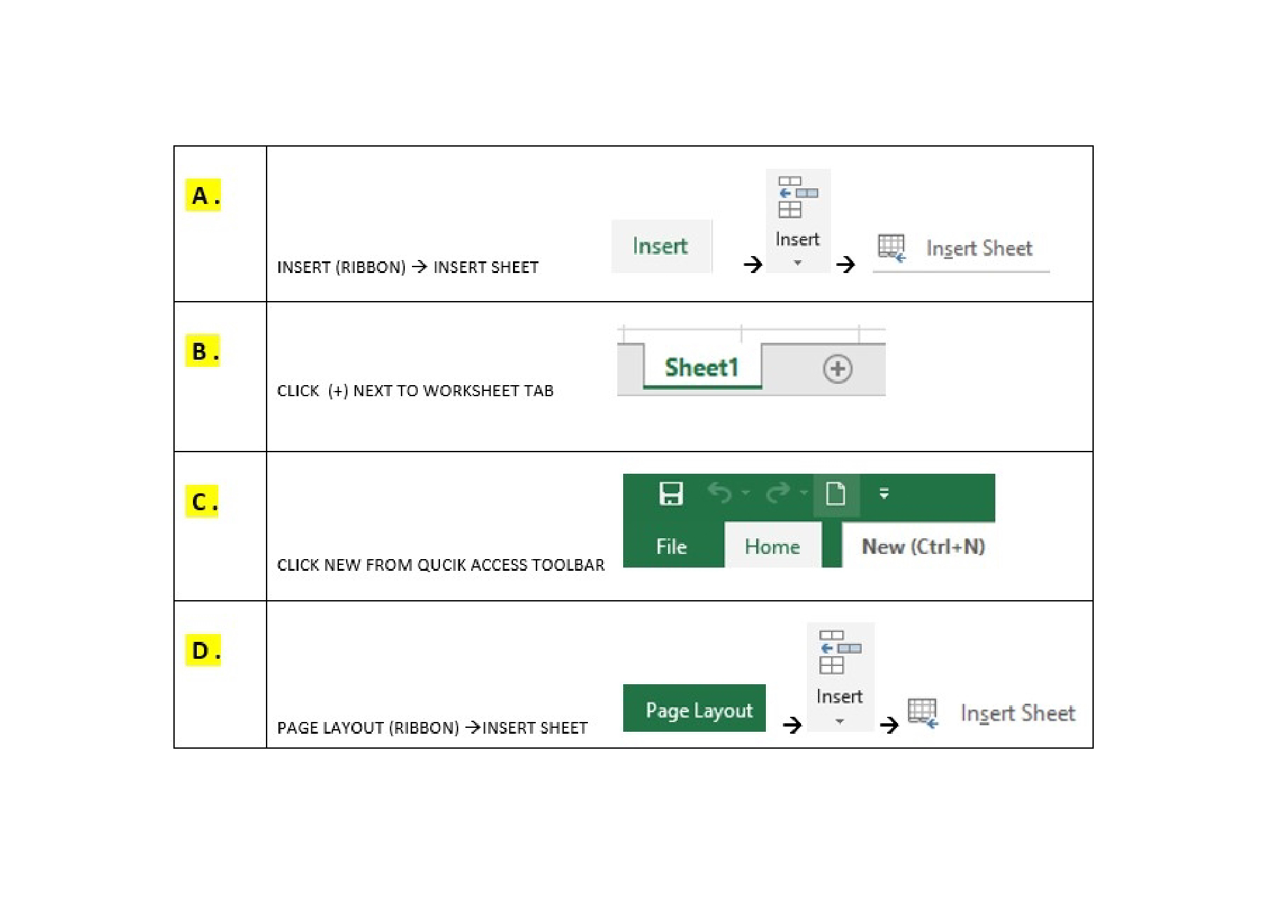
Q1. You need to add a new worksheet to your current file. How do insert an additional worksheet?
-
Question 2 of 40
2. Question
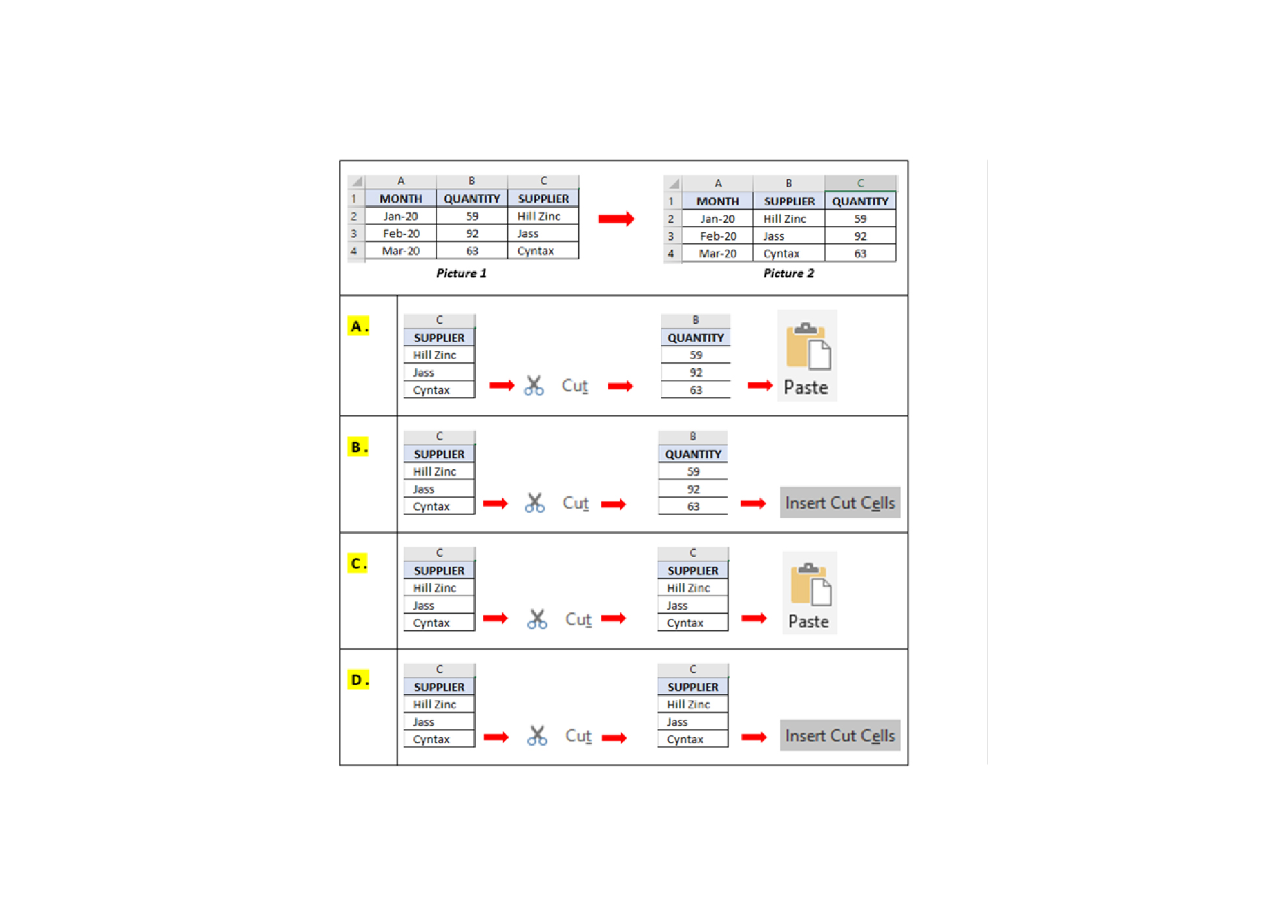
Q2. In Picture 1, the “SUPPLIER” column is located at column C. You would like to move the “SUPPLIER” column to column B as shown in Picture 2. How do you achieve this?
-
Question 3 of 40
3. Question
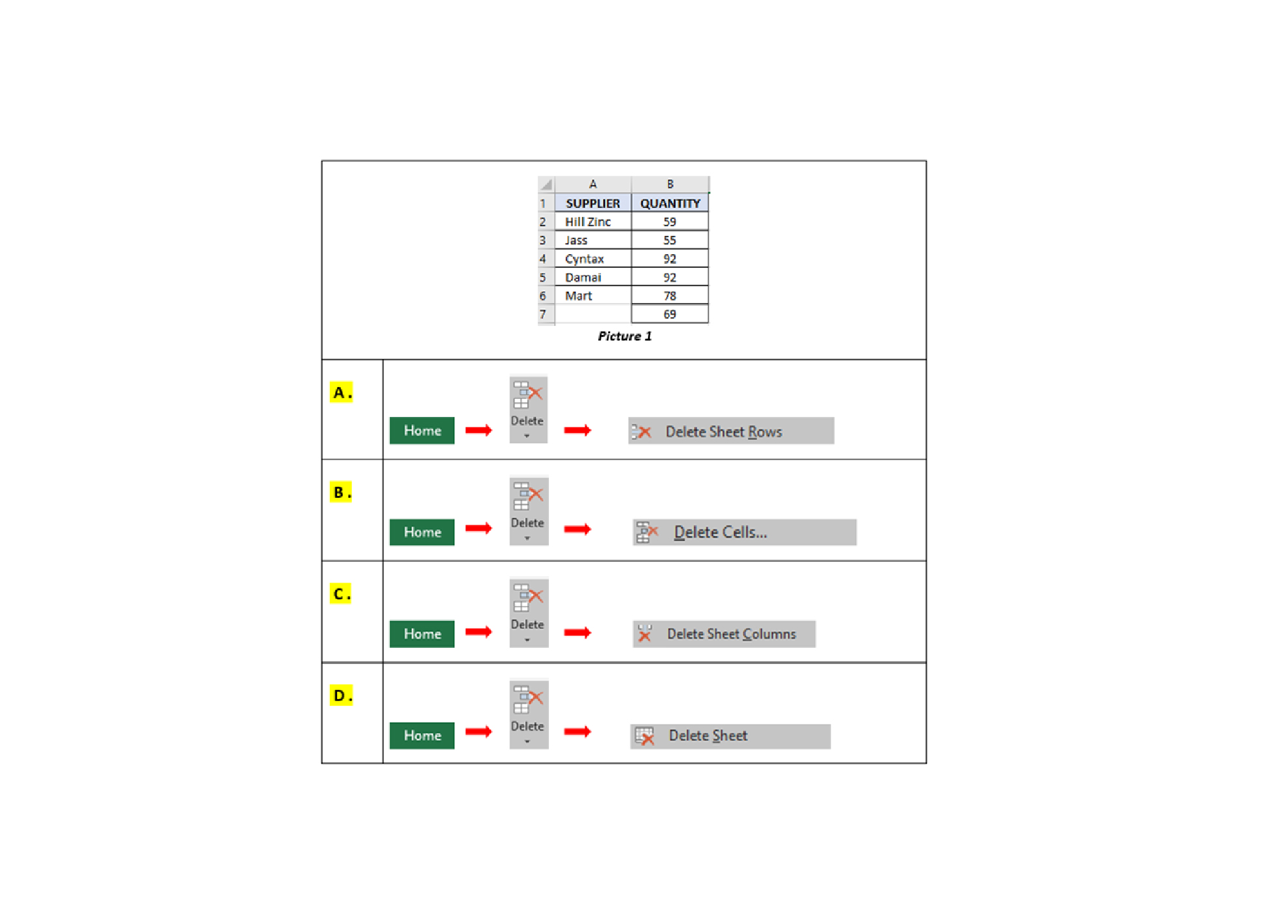
Q3. You have entered the value 92, twice in the “QUANTITY” column, as Picture 1. How to do remove the extra value?
-
Question 4 of 40
4. Question
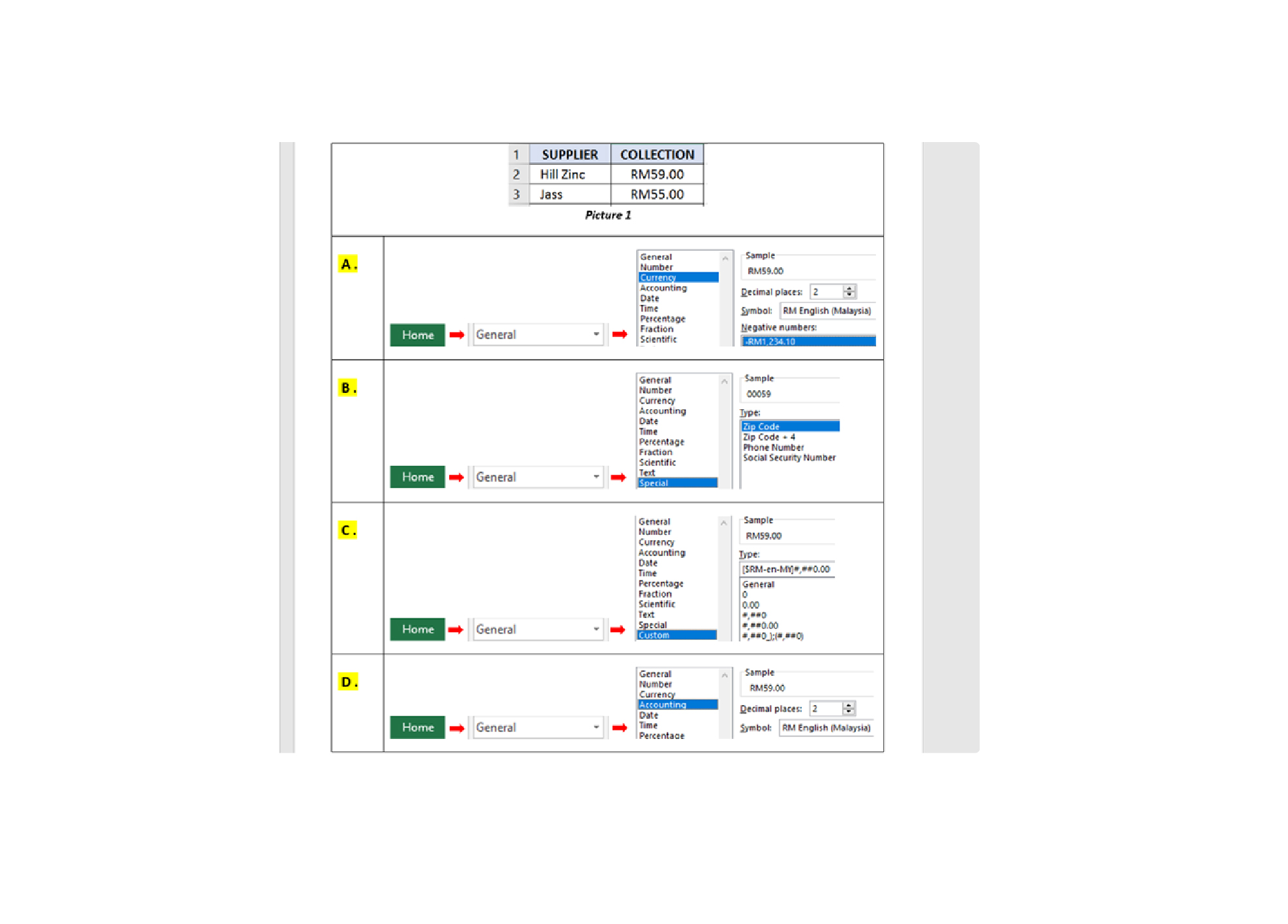
Q4. How do you apply the “RM” formatting to the values in column B as Picture 1?
-
Question 5 of 40
5. Question
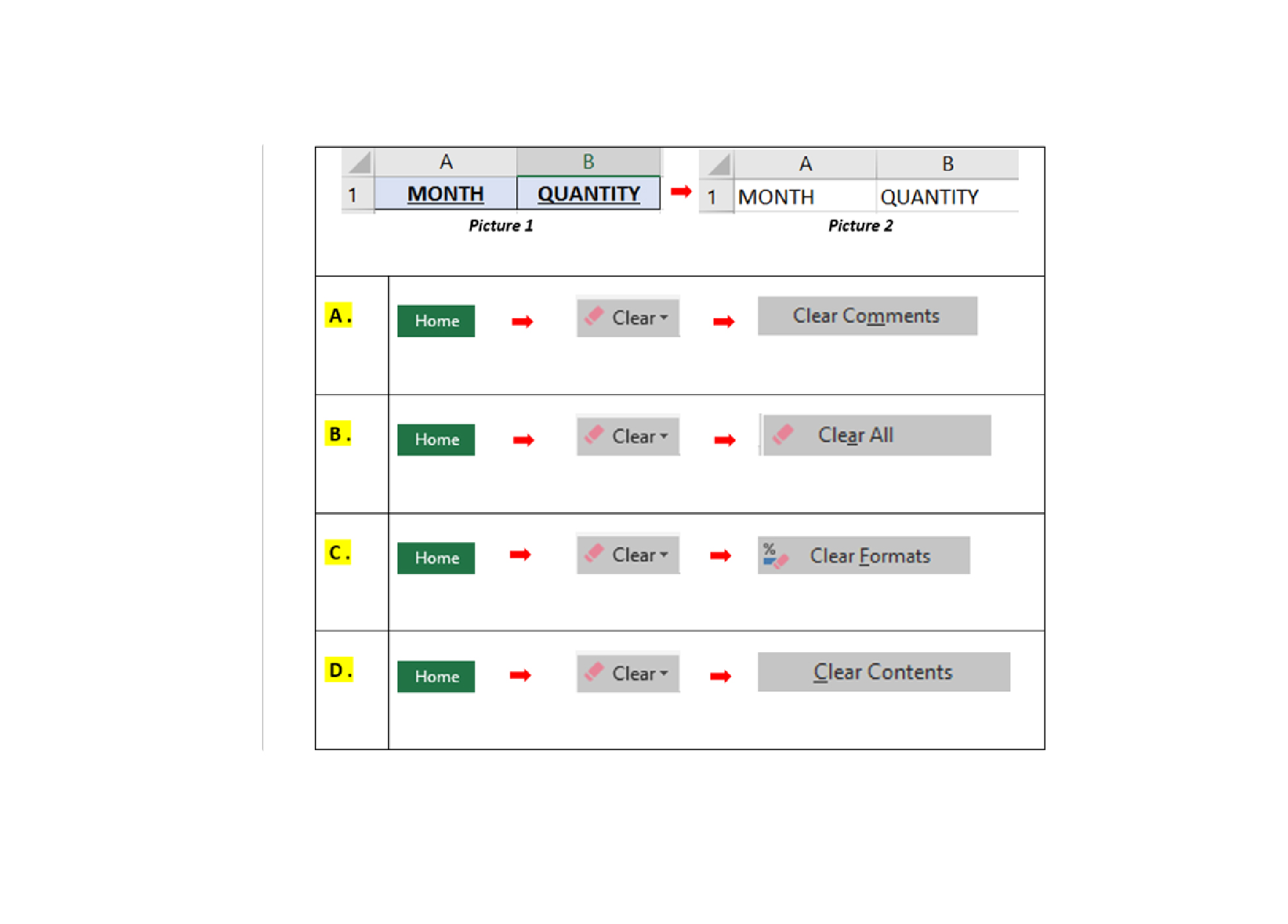
Q5. The range A1:B1 have the border, fill color and font styles as Picture 1. You want the result as Picture 2. Which of the following options would be able to accomplish this?
-
Question 6 of 40
6. Question
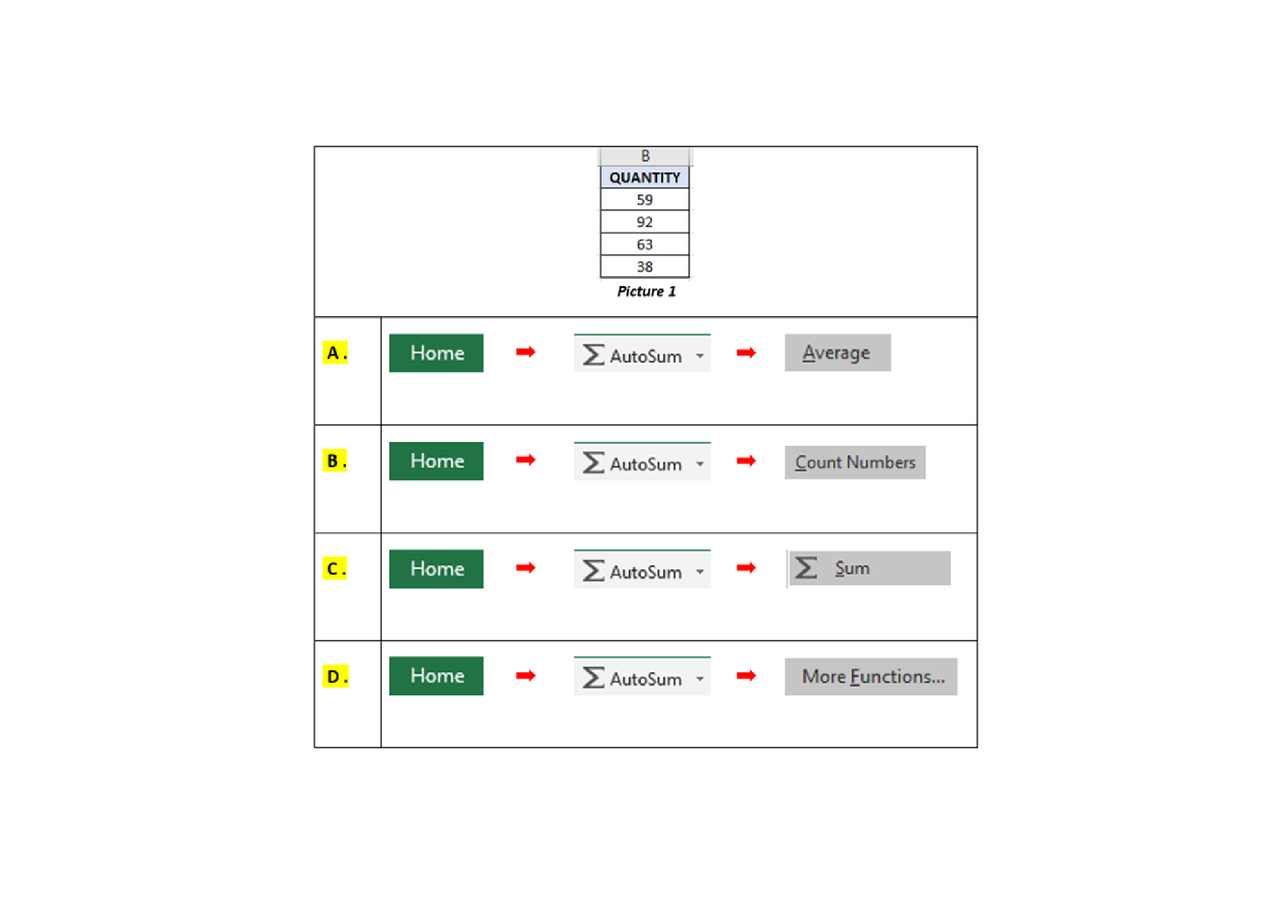
Q6. Which of the following options, will allow you to total up the values in the “QUANTITY” column as per the Picture 1?
-
Question 7 of 40
7. Question
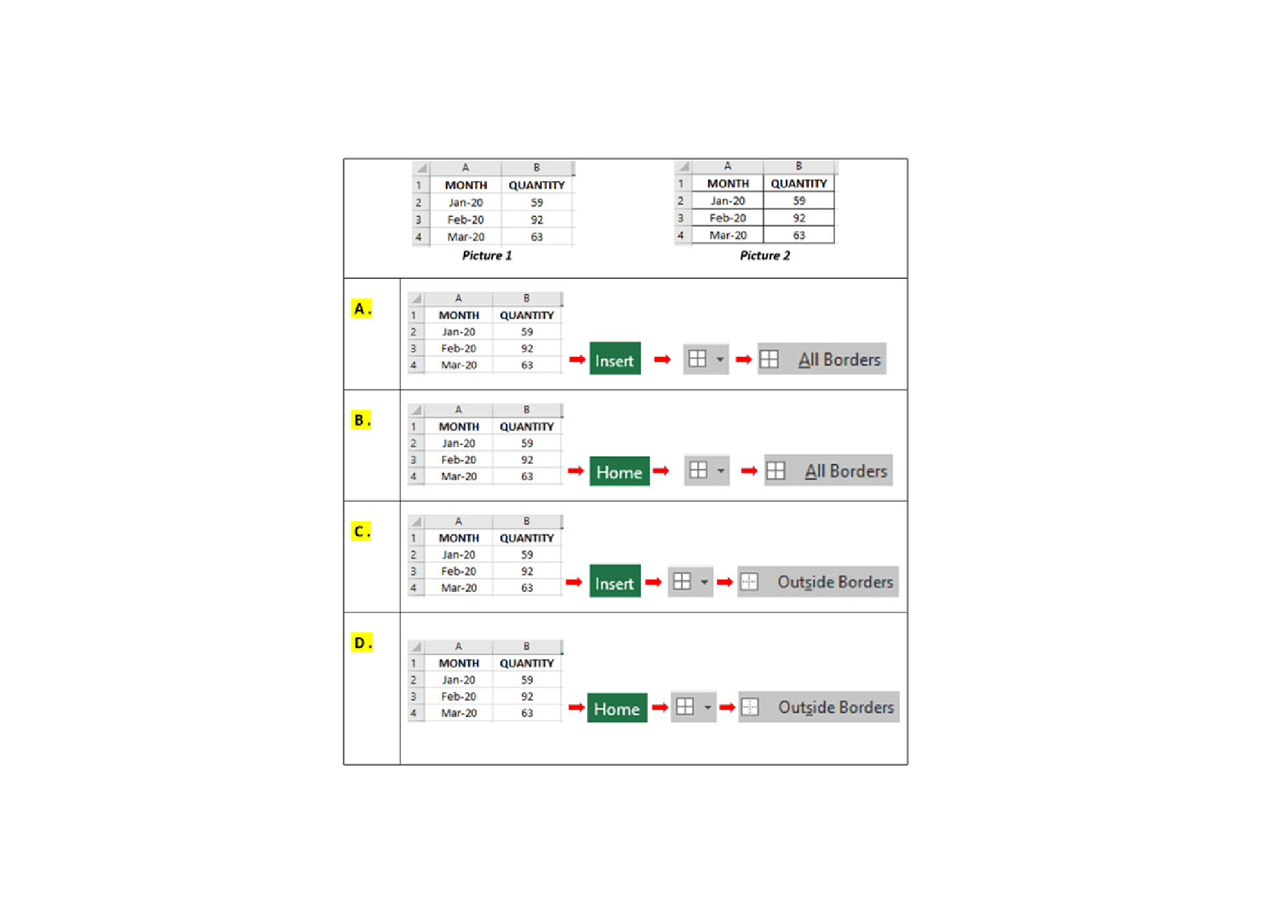
Q7. The range A1:B4 without border as Picture 1. How do you add borders as shown in the Picture 2?
-
Question 8 of 40
8. Question
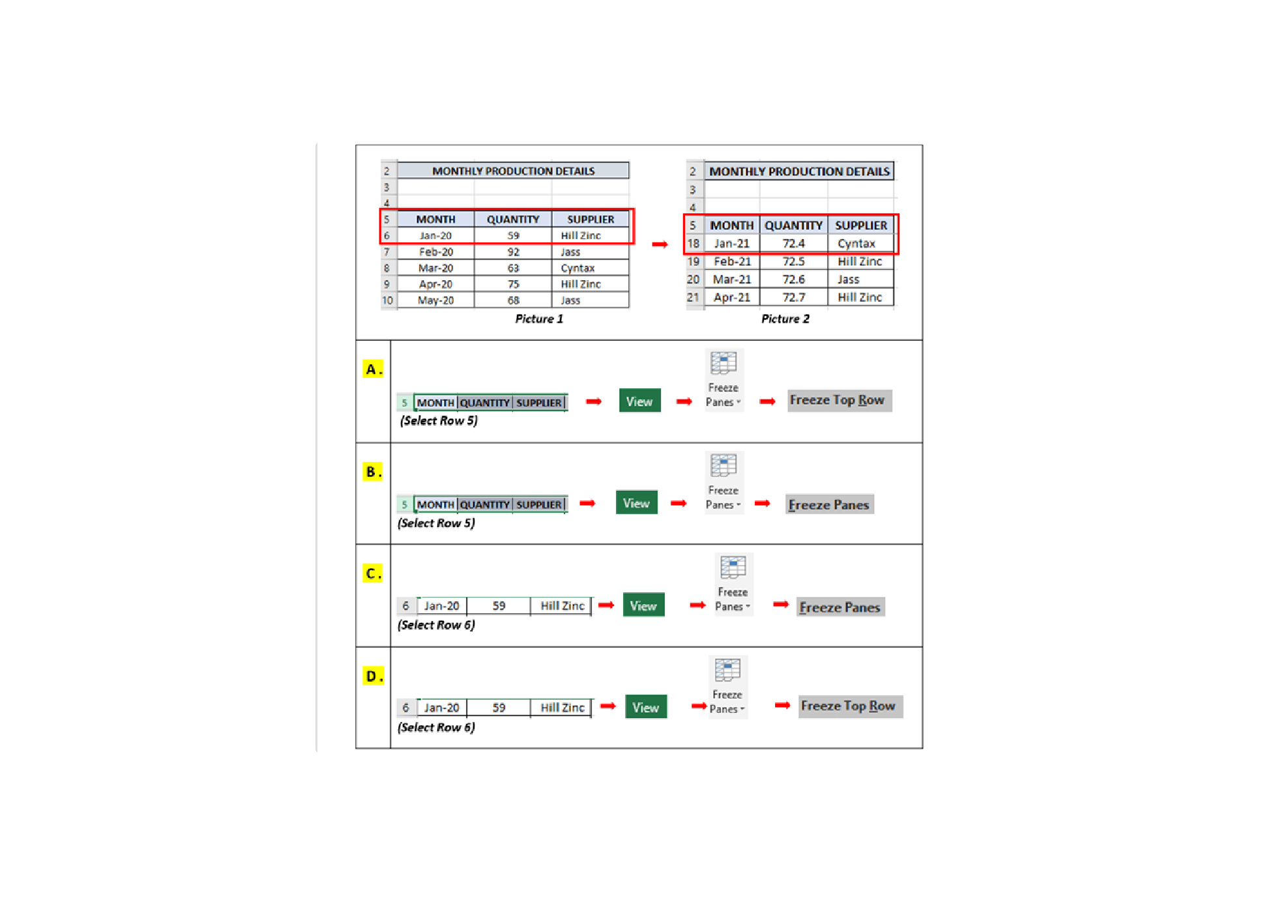
Q8. For the “Monthly Production Details” database, you would like to view the Jan-21 record at ROW 18. When scrolling down to search for your data, you want the header of “ROW 5” to be visible. Which of the following options will allow you to achieve this?
-
Question 9 of 40
9. Question
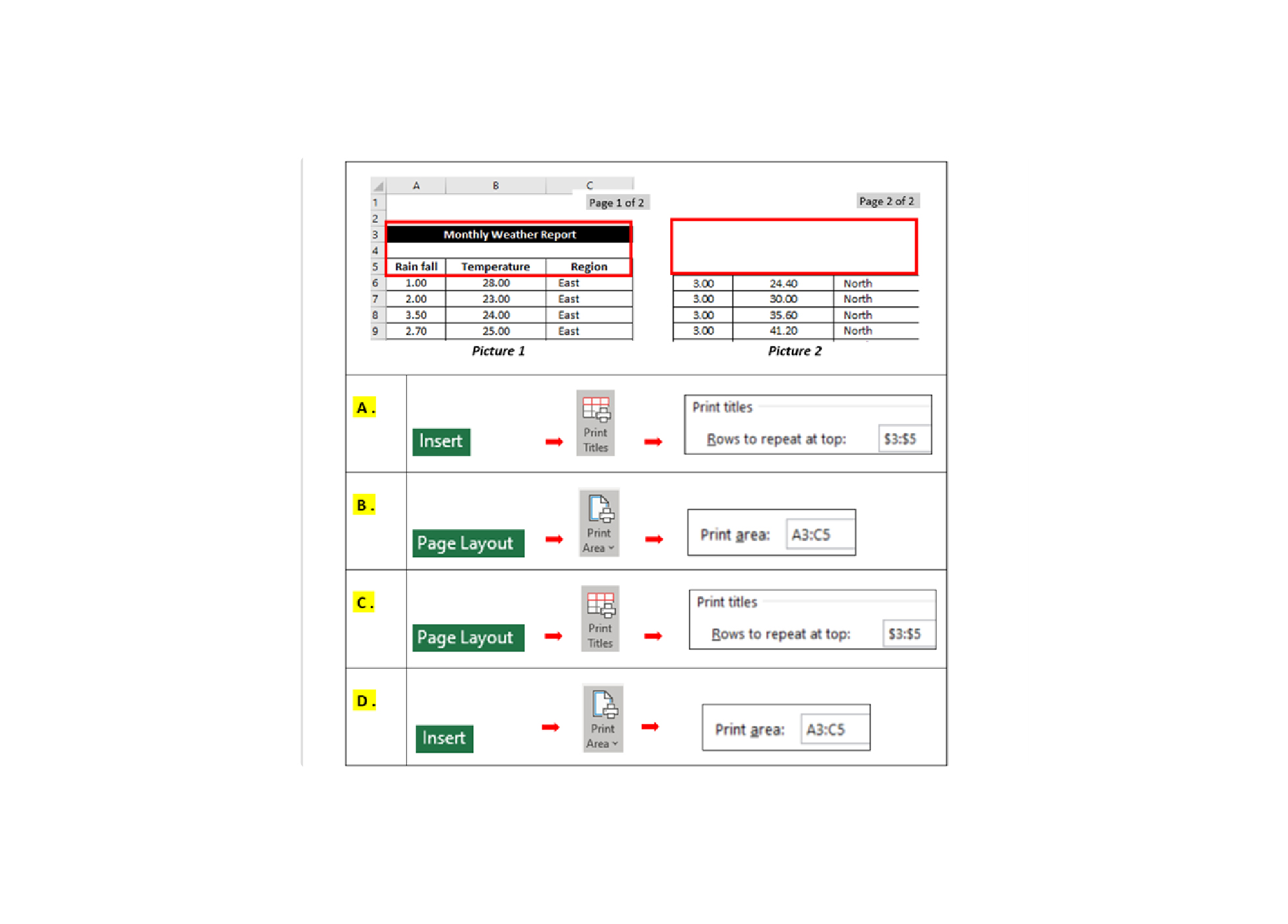
Q9. When printing your spreadsheet, your output is on 2-pages. How do you get the titles to repeat on the subsequent pages?
-
Question 10 of 40
10. Question
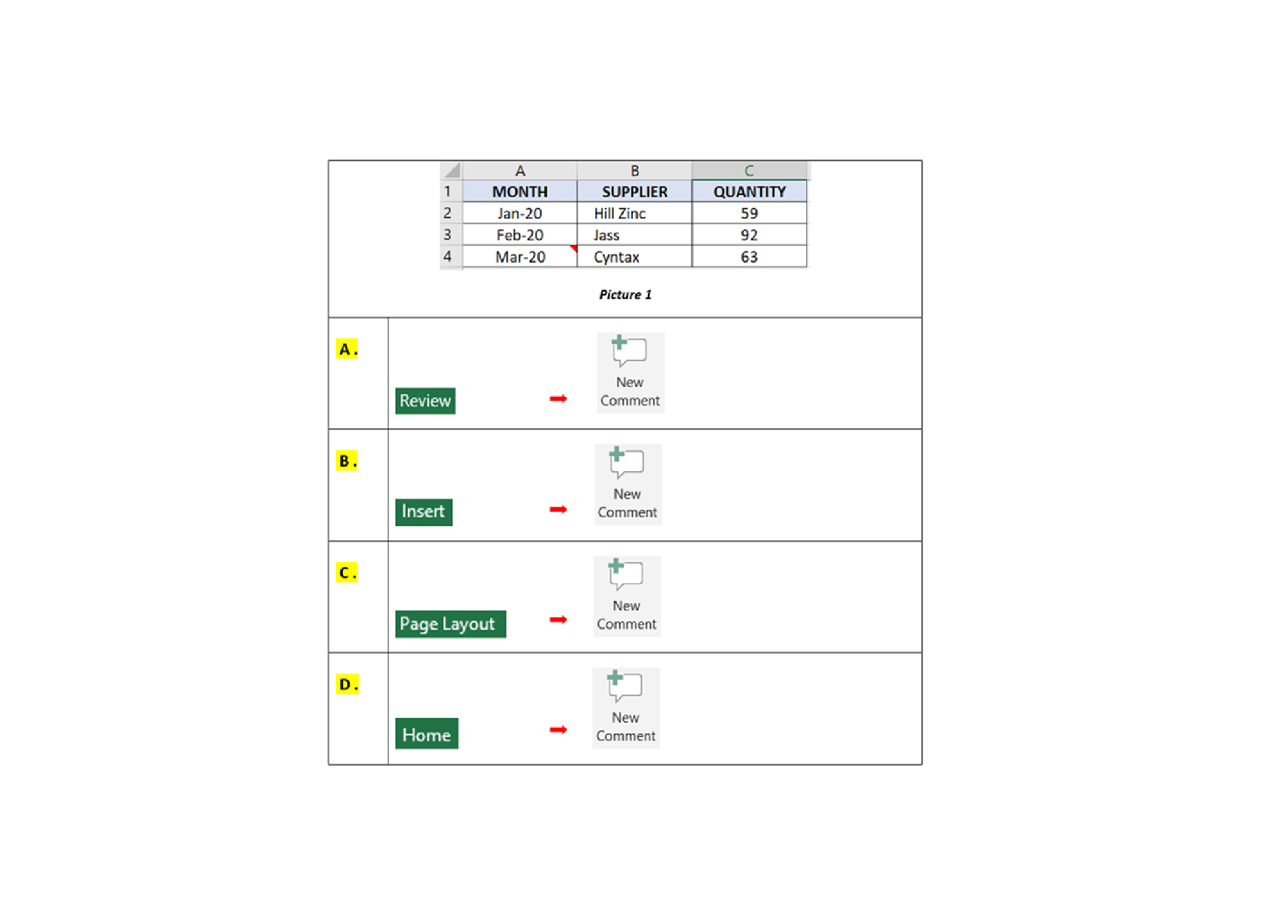
Q10. There is a “RED” triangle at the top right corner of the “Mar-20”. How do you create the “RED” triangle?
-
Question 11 of 40
11. Question
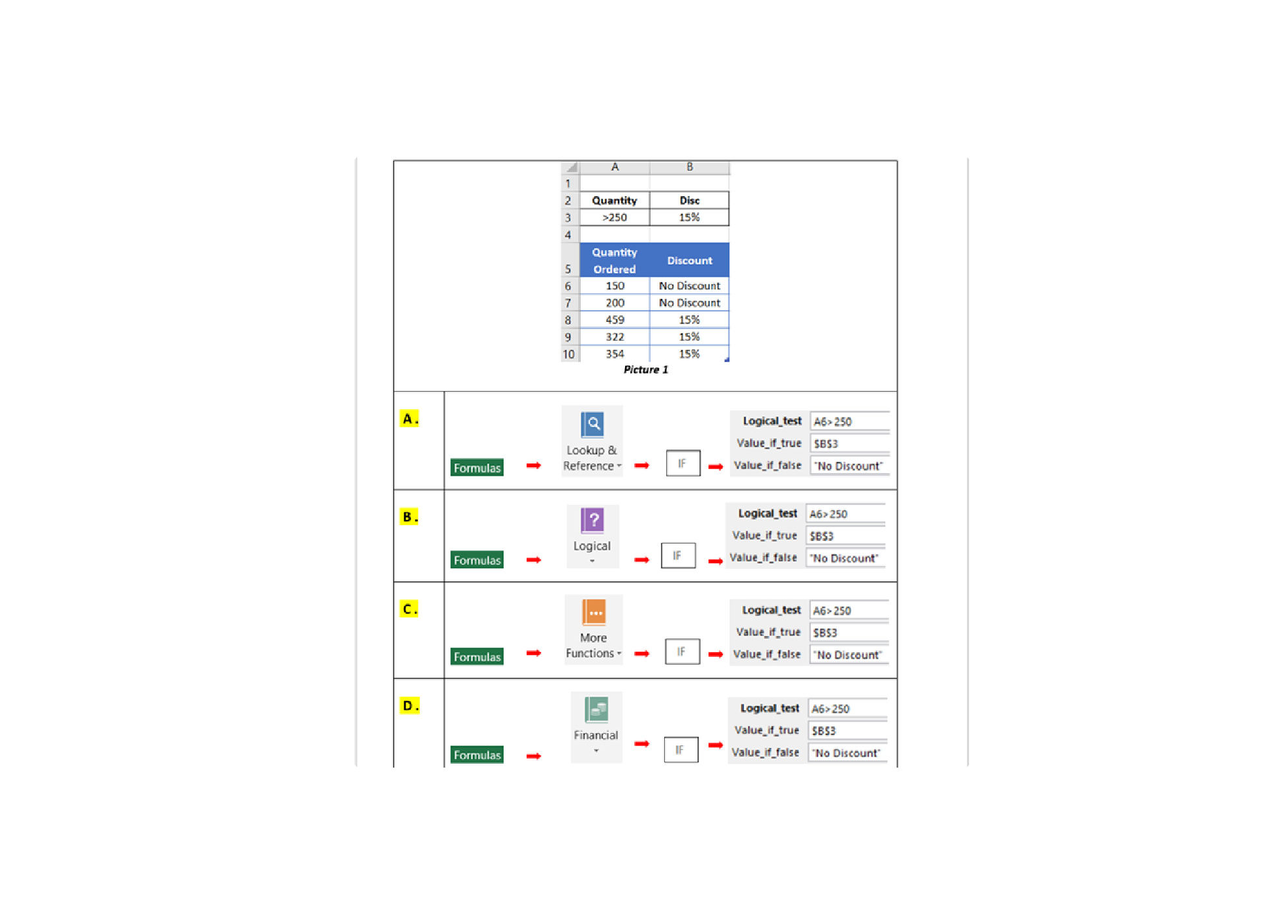
Q11. 15% discount is given, when the quantity ordered above 250 units. How do you create the “DISCOUNT” in B6:B10 as Picture 1?
-
Question 12 of 40
12. Question
Q12. How to create a database as Picture 2 from data shown in Picture 1?
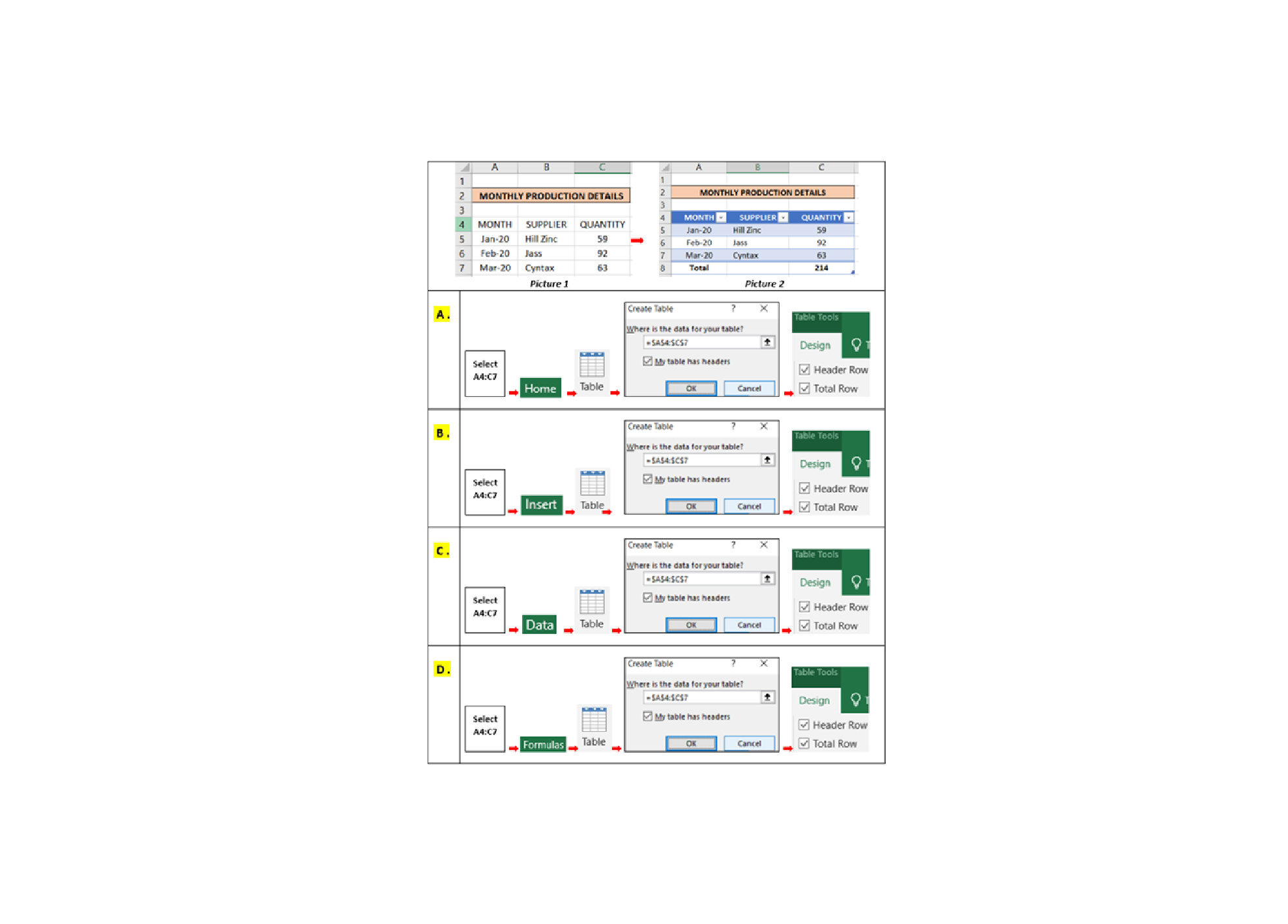
-
Question 13 of 40
13. Question
Q13. How do you total all HILL ZINC’s Quantity that is above 80 units?
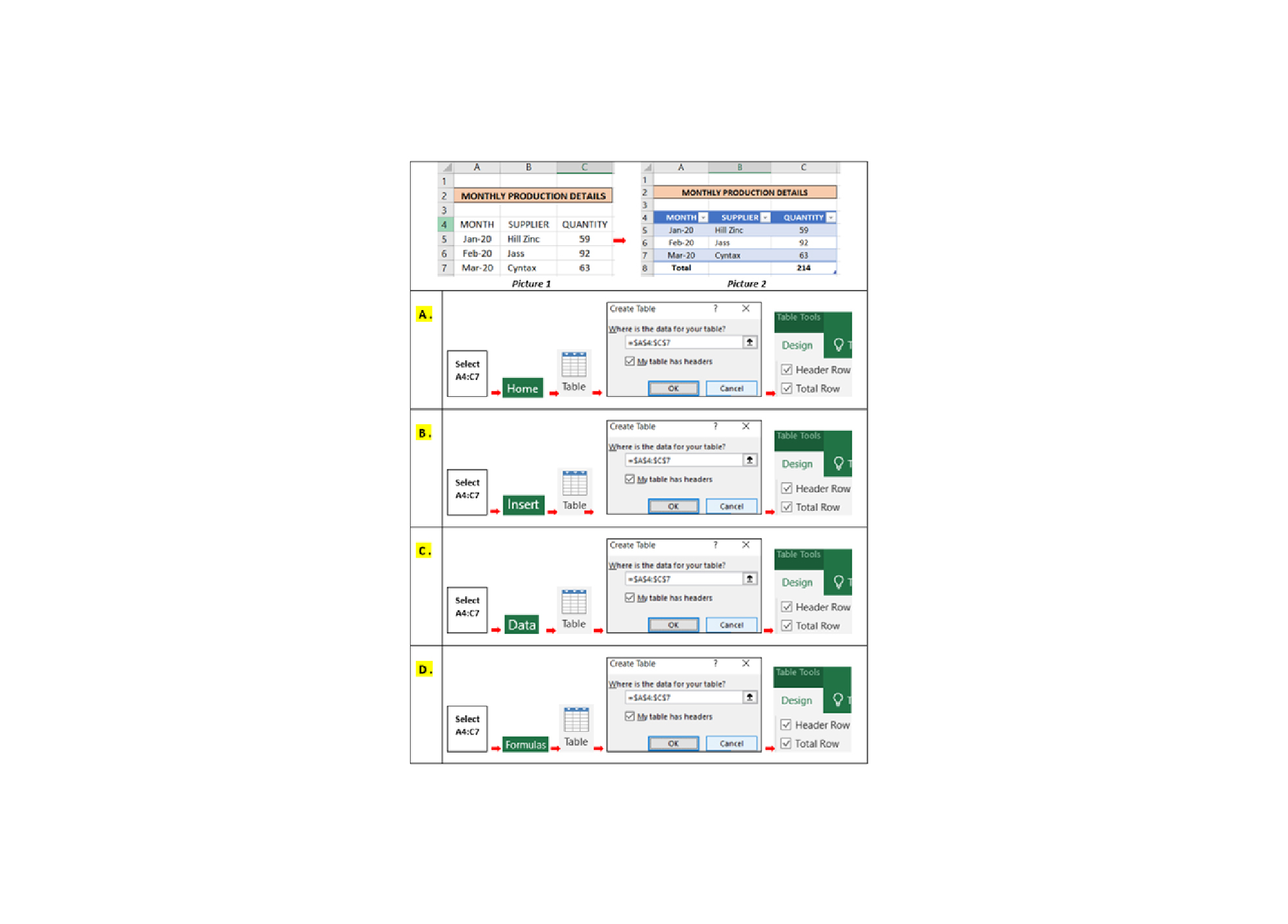
-
Question 14 of 40
14. Question
Q14. You would like to rearrange data in “RENEWAL” column by month as shown in Picture 2. Which methods will allow you to do this?
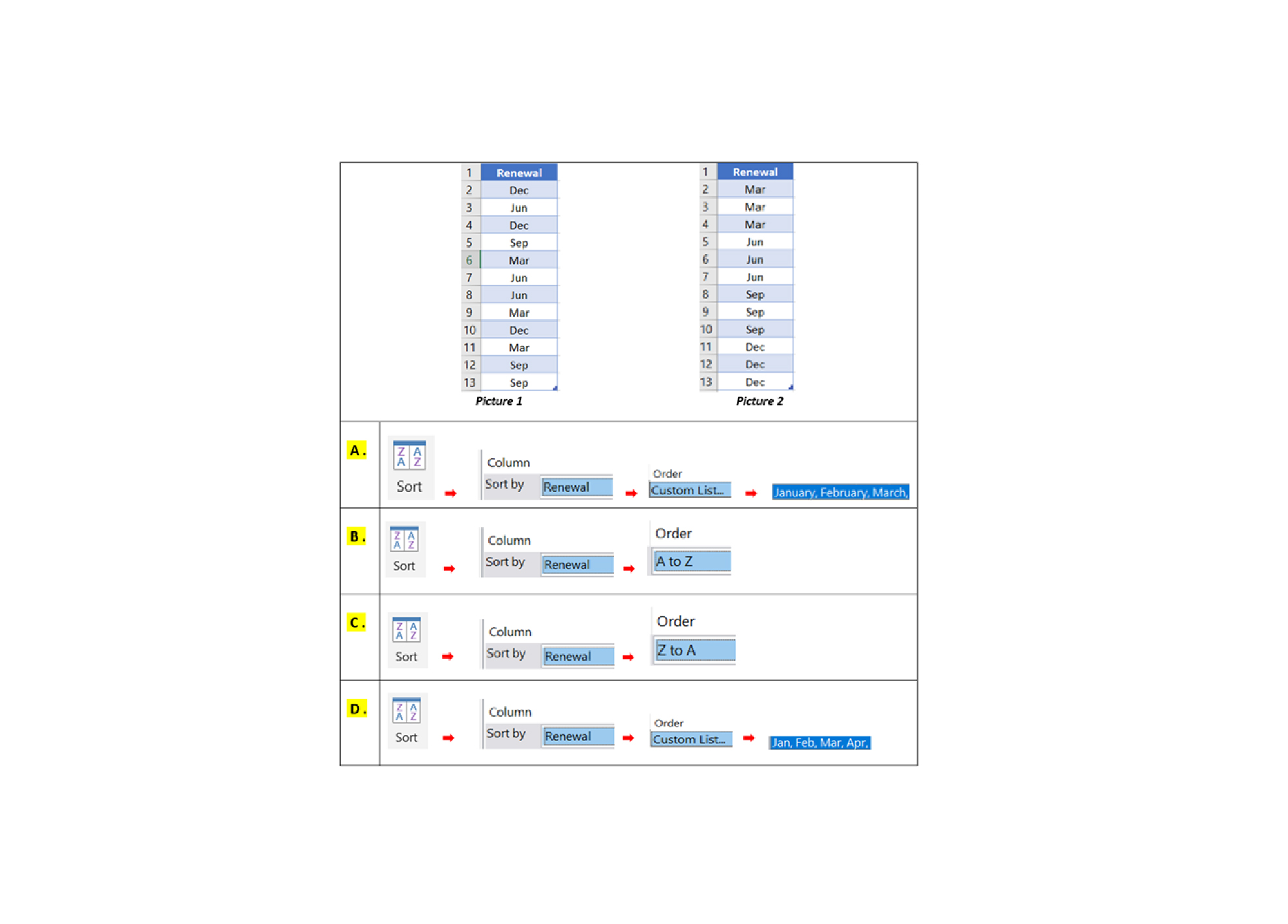
-
Question 15 of 40
15. Question
Q15. How do you create a drop-down list for the departments as shown in the Picture 1?
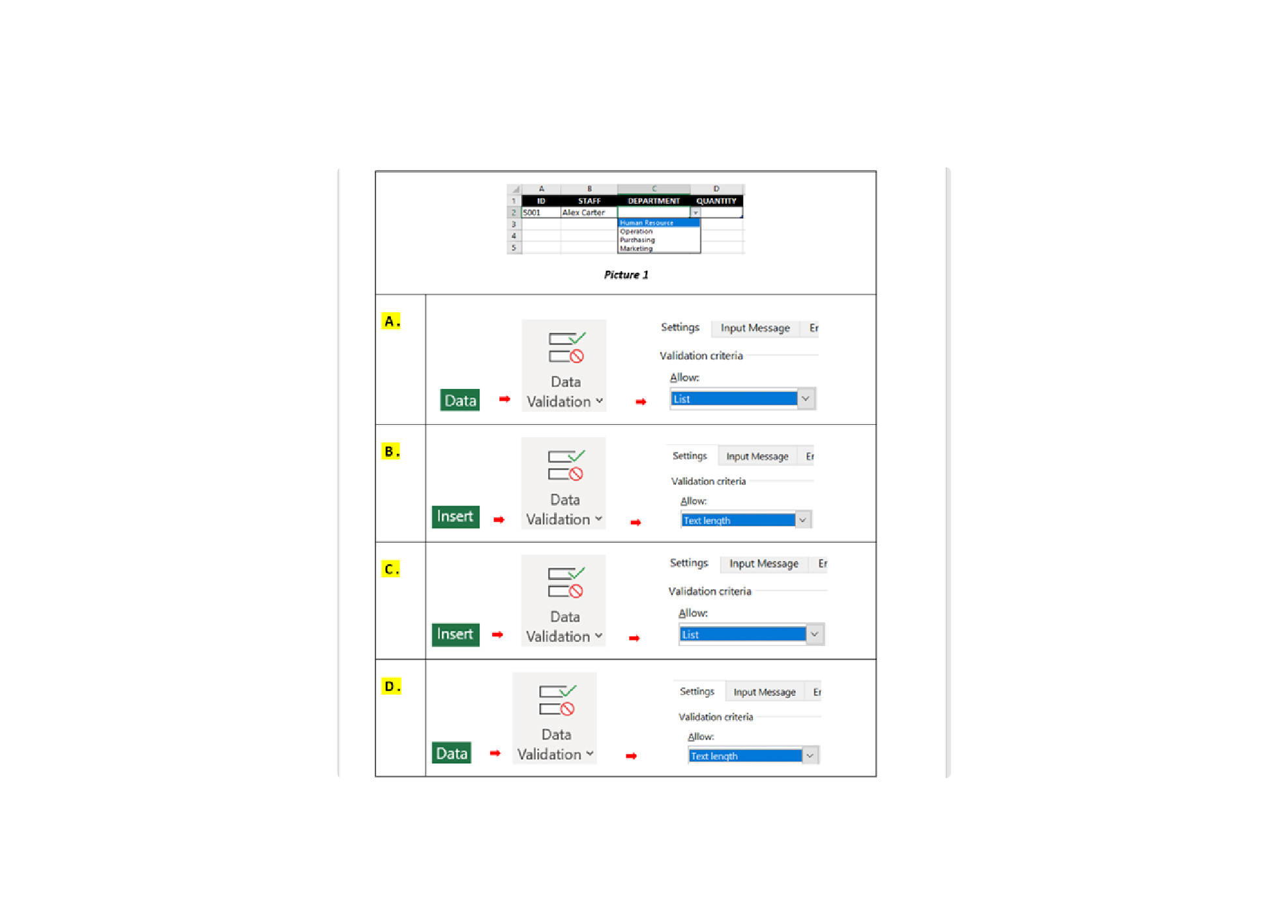
-
Question 16 of 40
16. Question
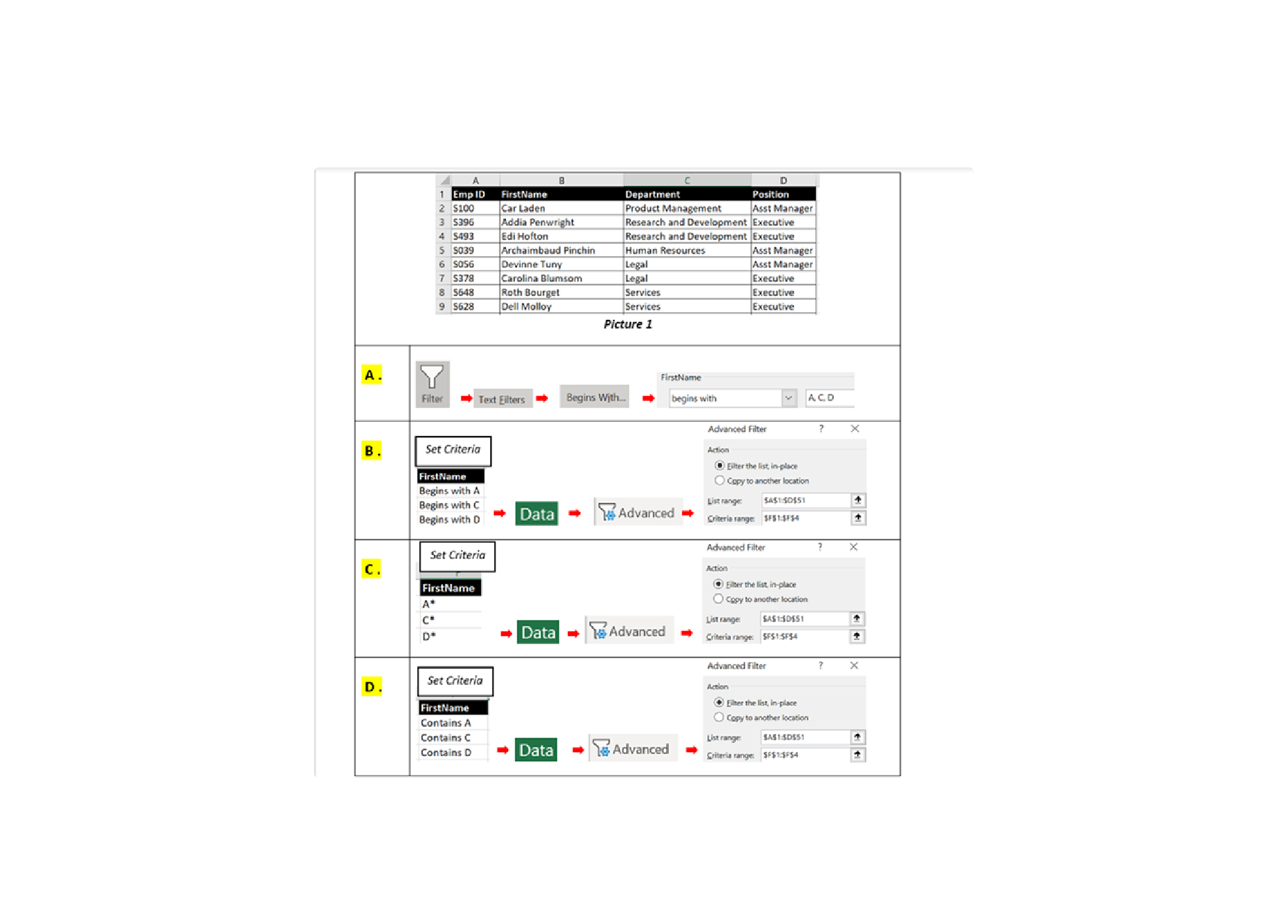
Q16. In the database below, you would like to filter “FIRSTNAME” that begins with “A”, “C” or “D”. Which of the following answers allows you achieve this?
-
Question 17 of 40
17. Question
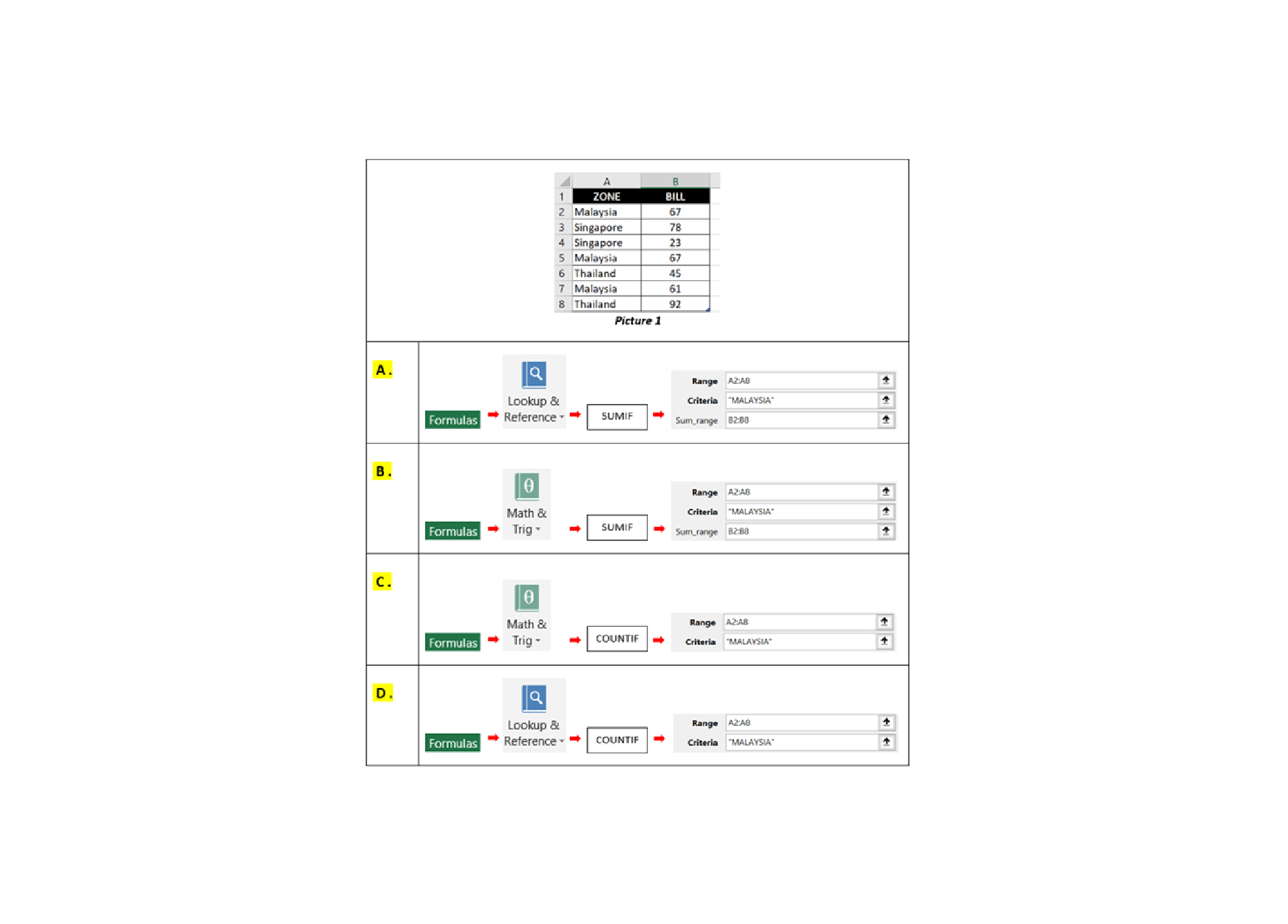
Q17. You would like to total all the “BILL” for “MALAYSIA” zone. Which of the following answers will allow you to do this?
-
Question 18 of 40
18. Question
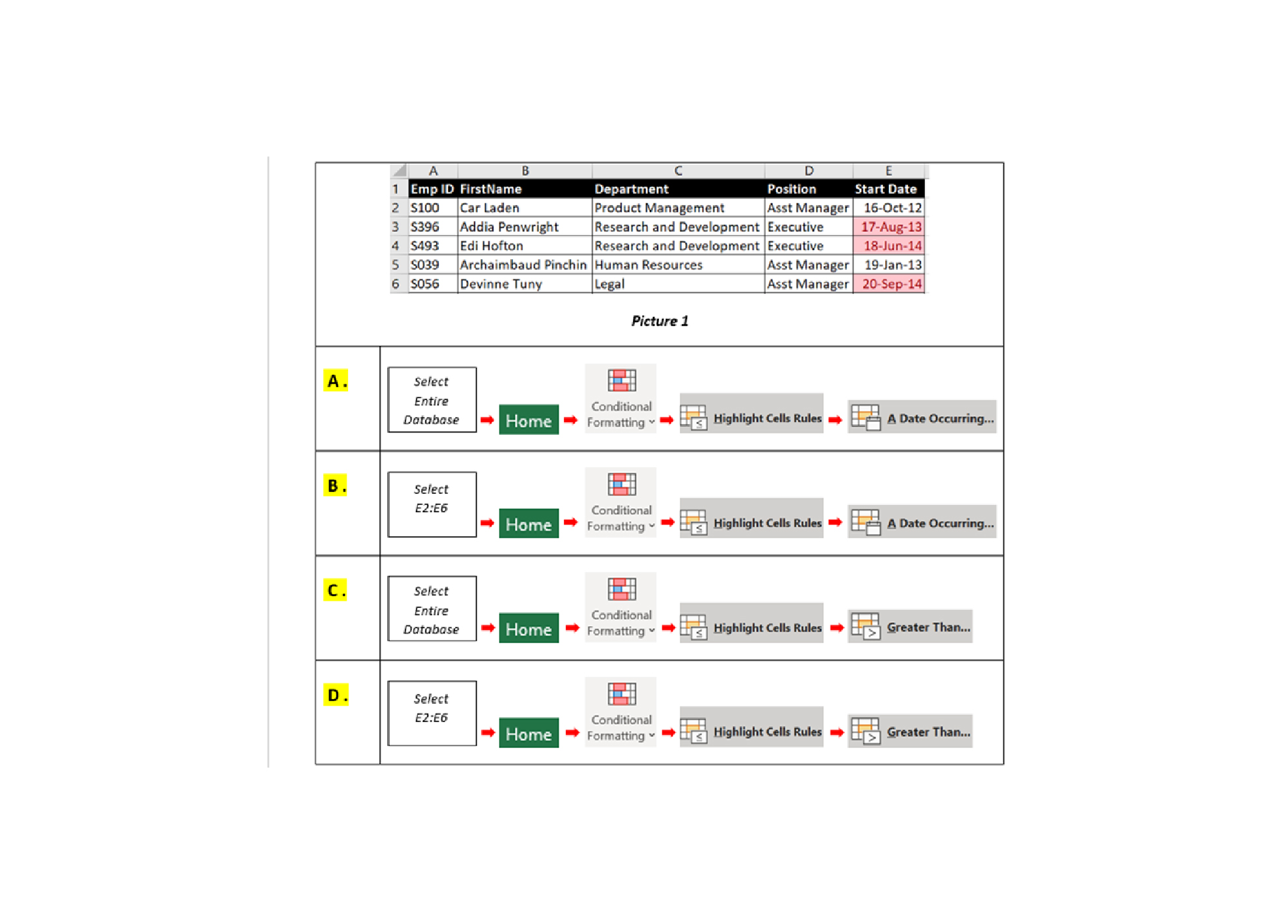
Q18. In the Employees’ database below, you would like to highlight all Start Date after 1st July, 2013. How do you do this?
-
Question 19 of 40
19. Question
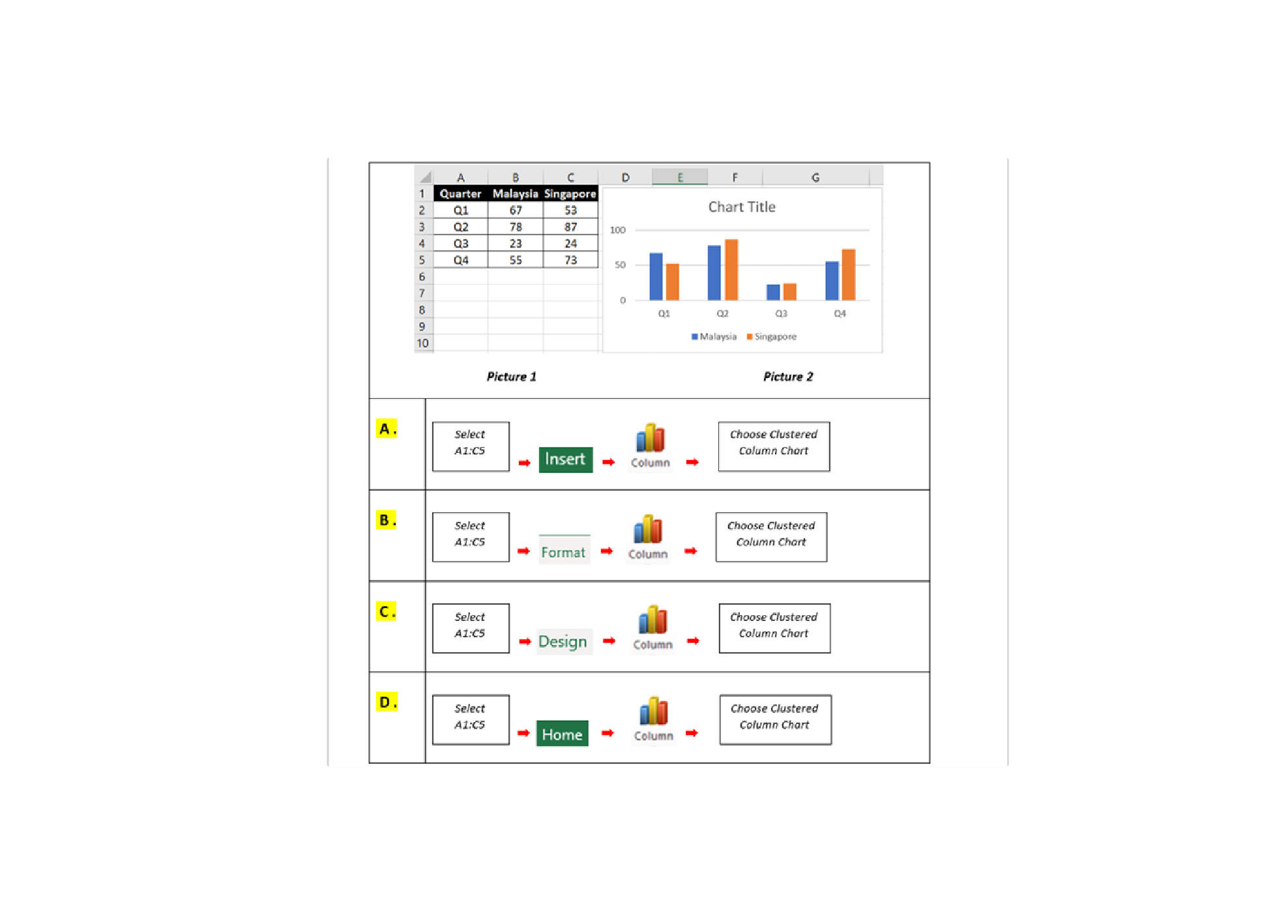
Q19. How do you create a chart, as shown in the picture below?
-
Question 20 of 40
20. Question
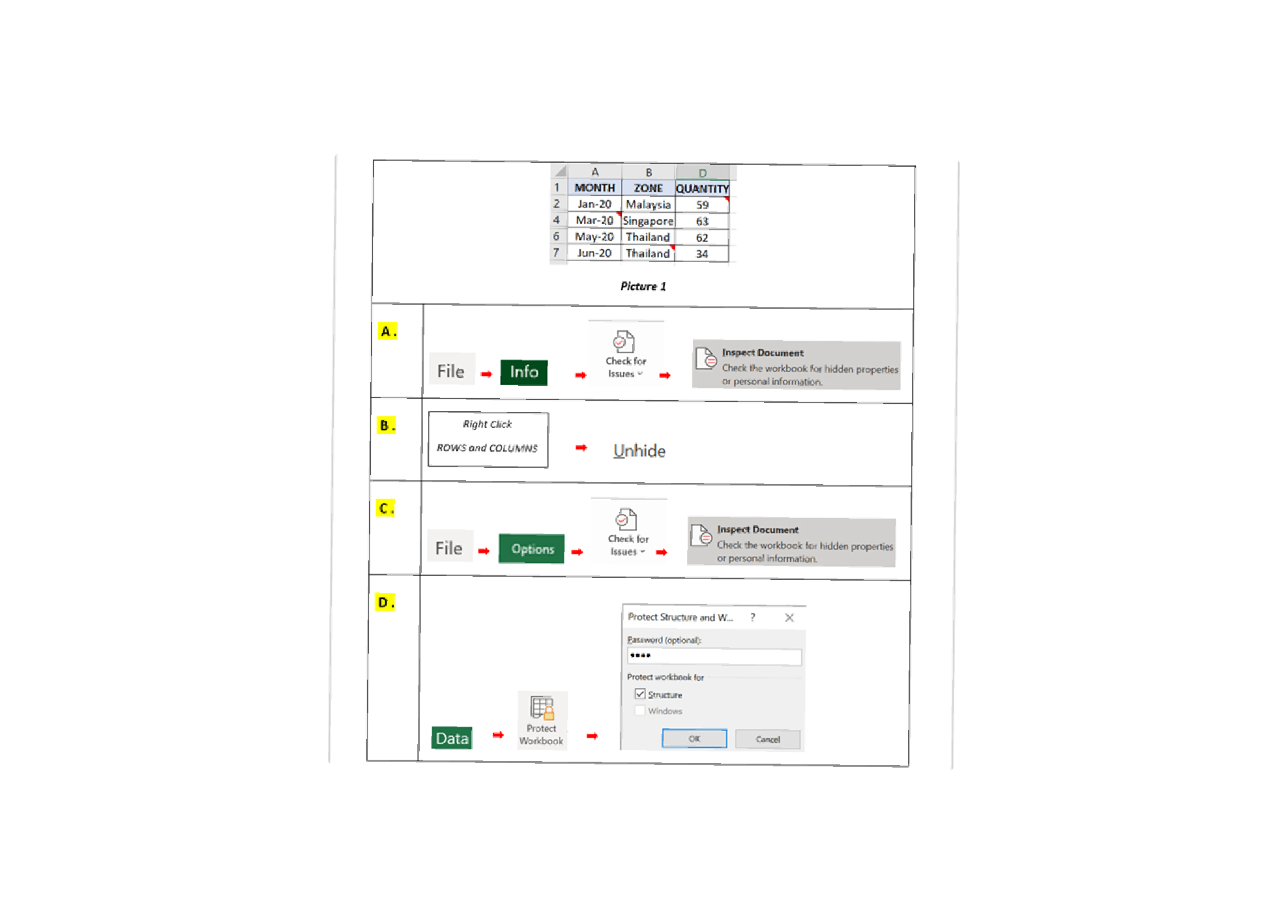
Q20. In the spreadsheet as Picture 1, there are “comments” and hidden rows and columns. You would like to remove all comments and unhide rows and columns from the spreadsheet. Which method will allow you to achieve this?
-
Question 21 of 40
21. Question
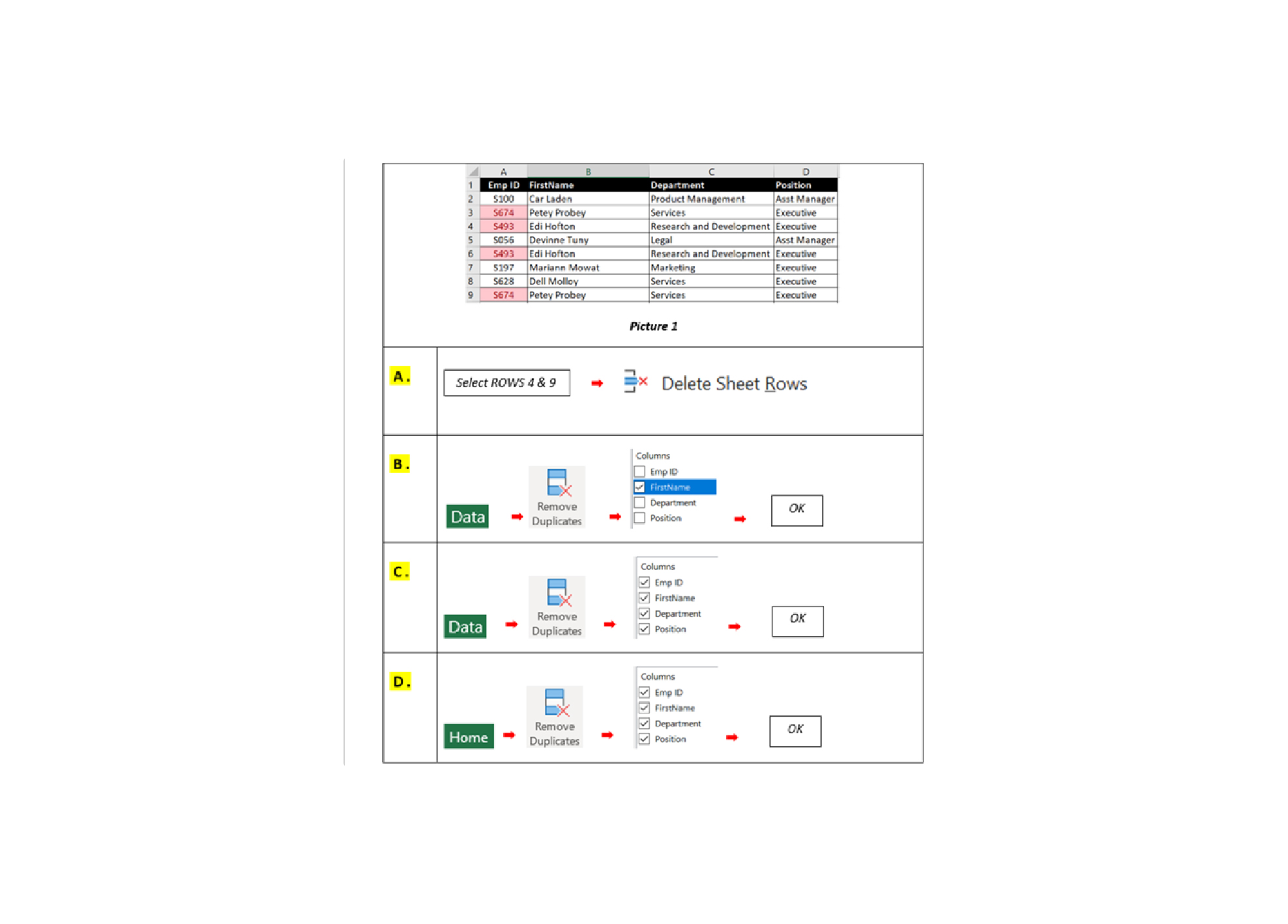
Q21. You have prepared an income and expenses report as Picture 1. This report needs to be sent to the marketing department, for their budget preparation. To ensure that they do not modify your report, you should apply PROTECTION settings. How do set protection in Excel?
-
Question 22 of 40
22. Question
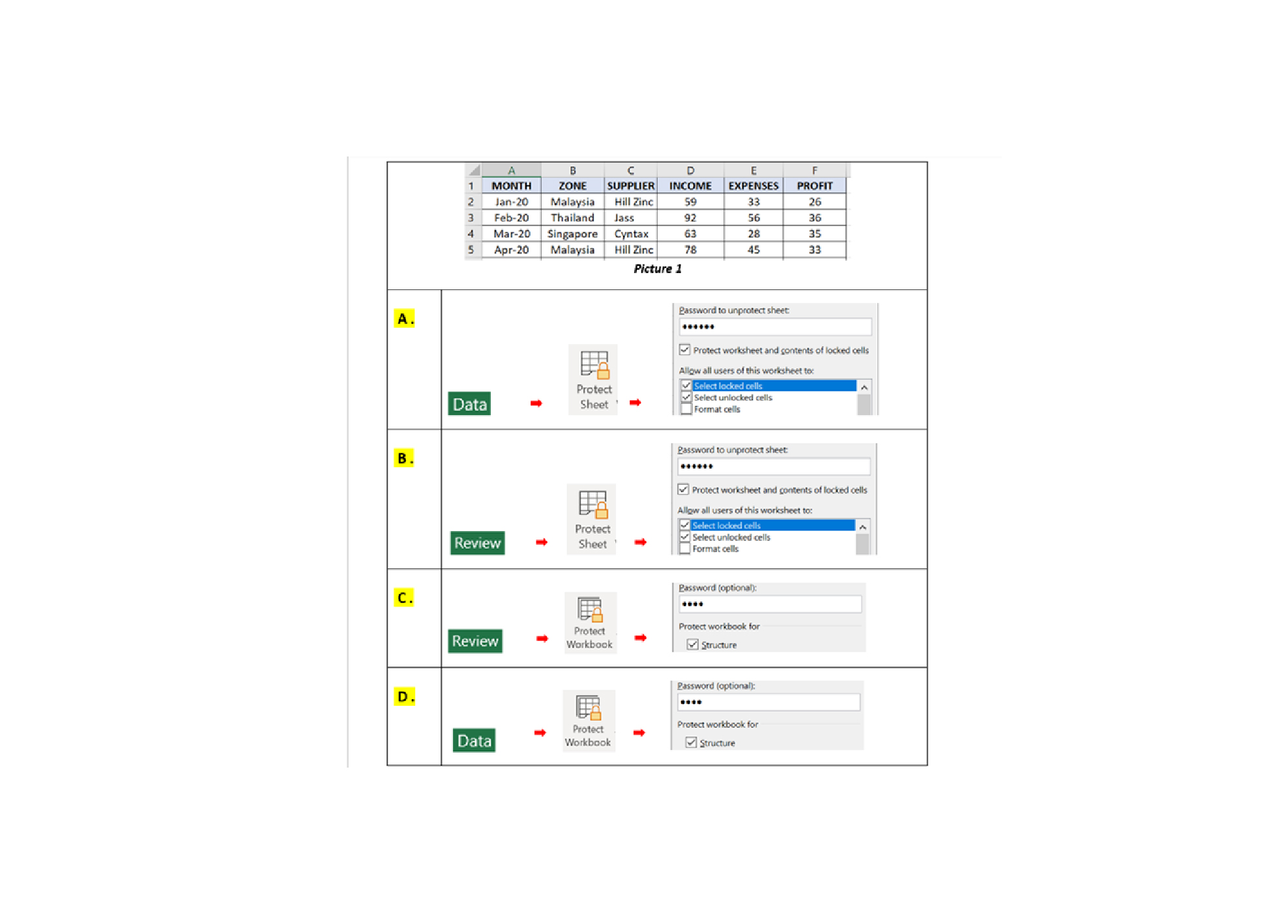
Q22. In database as Picture 1, you notice that there are 2-pairs of duplicate record. How do you remove the duplicate records?
-
Question 23 of 40
23. Question
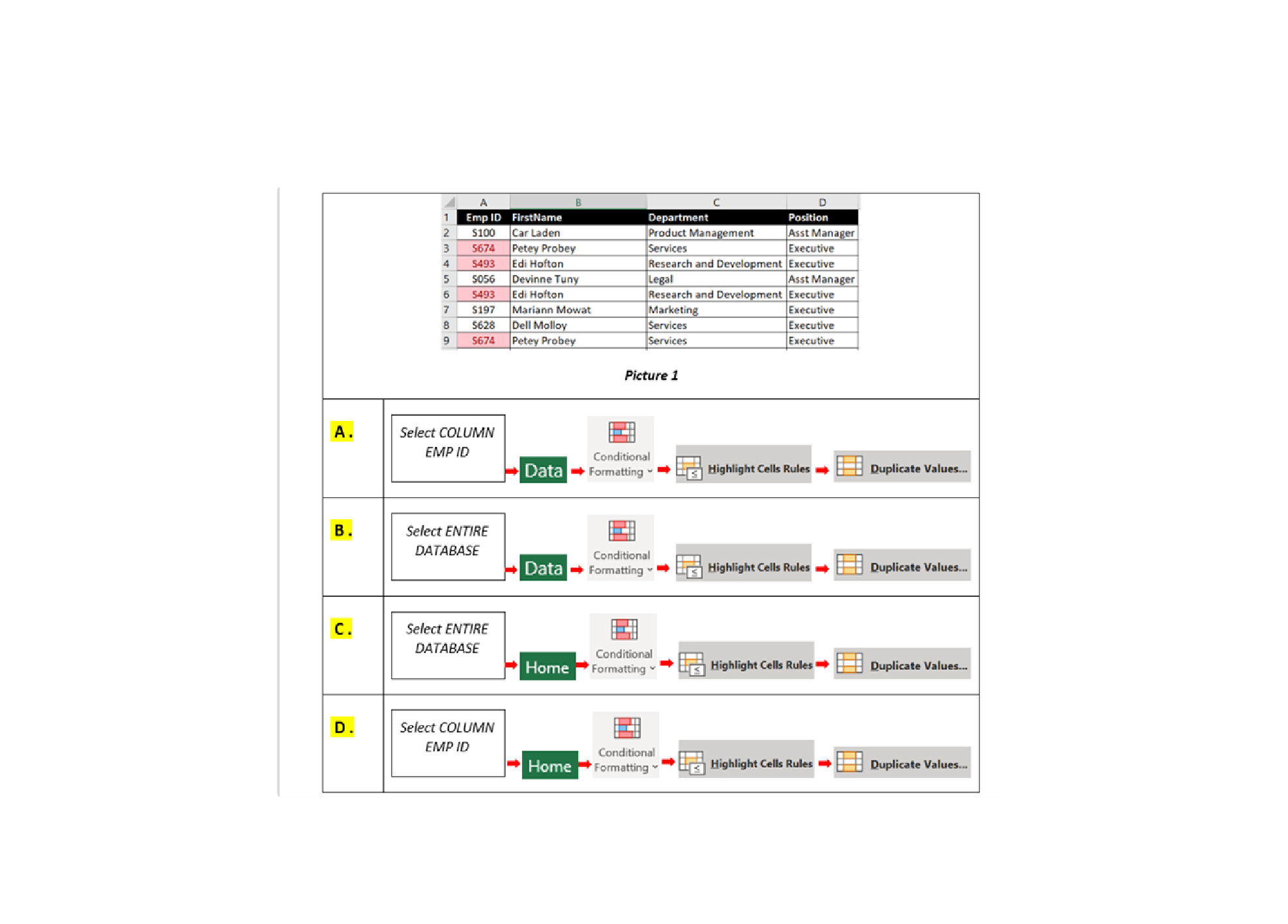
Q23. How do you identify duplicate data in the database below?
-
Question 24 of 40
24. Question
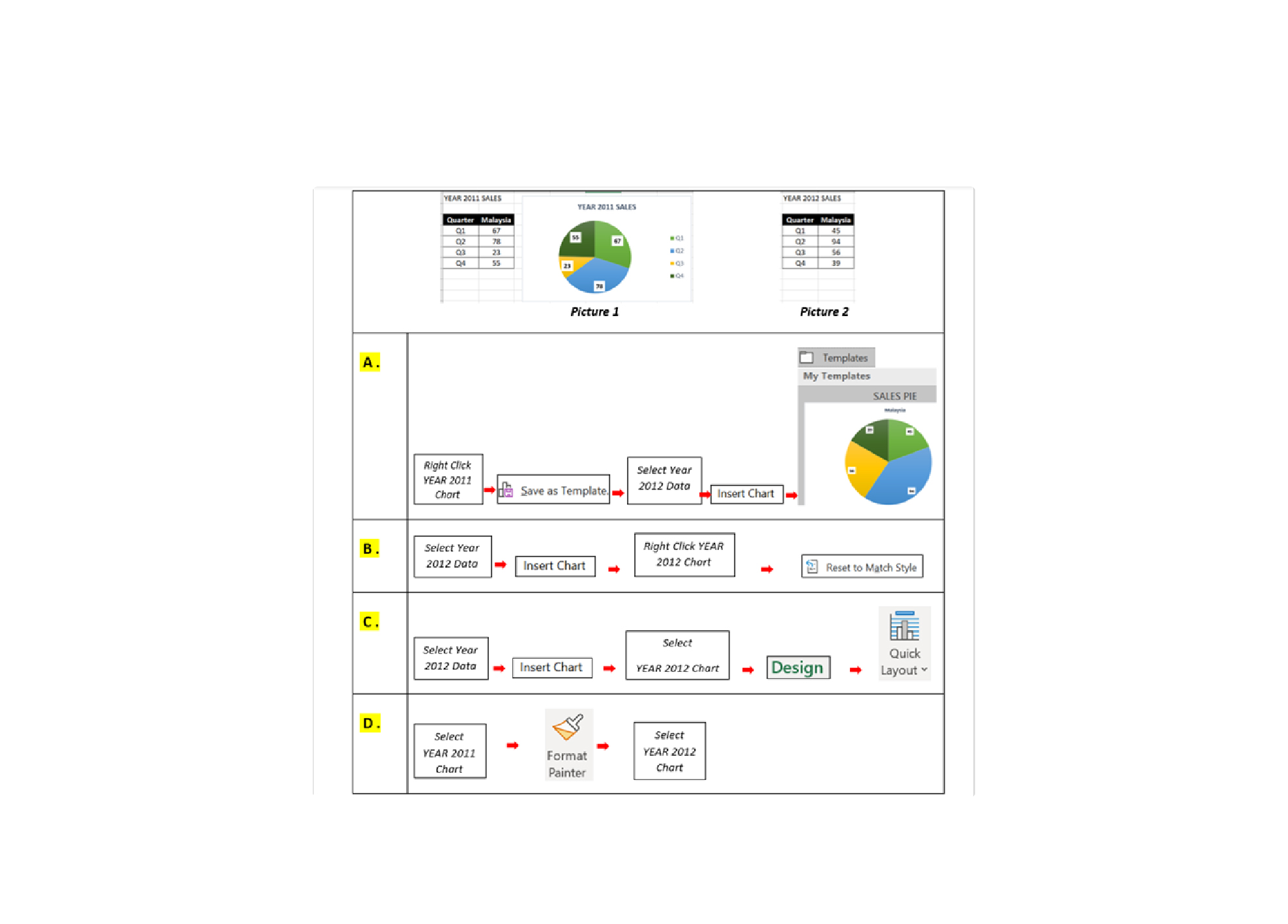
Q24. You have plotted a chart for Year 2011 Sales Performance and with custom style. For 2012 Sales Performance chart, you would like to apply the same style as 2011 style. How to do this?
-
Question 25 of 40
25. Question
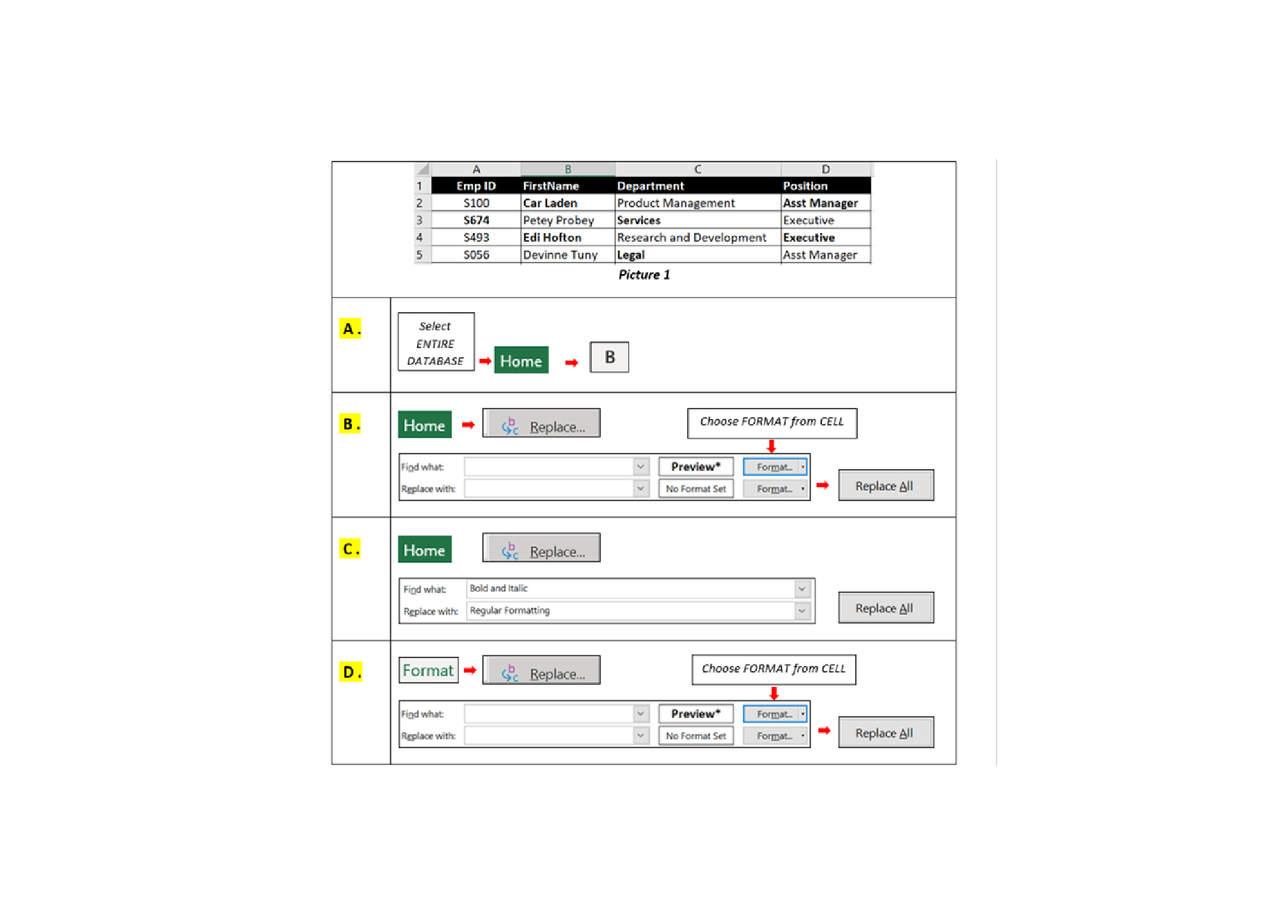
Q25. In your spreadsheet you have created some of cells with Font Style (Bold). But the cells across entire worksheet. You would like to remove all cells with Bold formatting to without Bold formatting. Which of the following method will allow you do this?
-
Question 26 of 40
26. Question
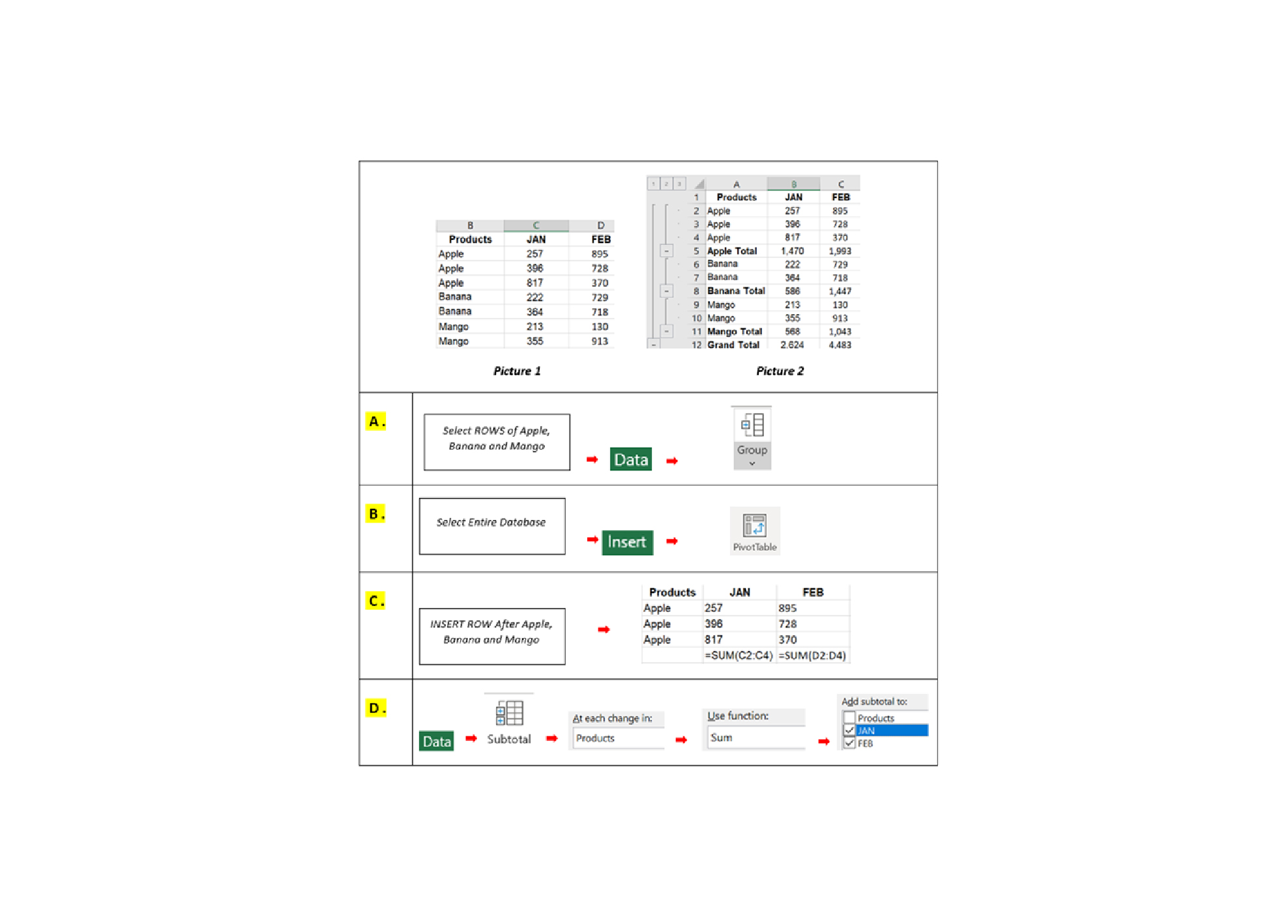
Q26. How do you create the function that is boxed in RED in the picture below?
-
Question 27 of 40
27. Question
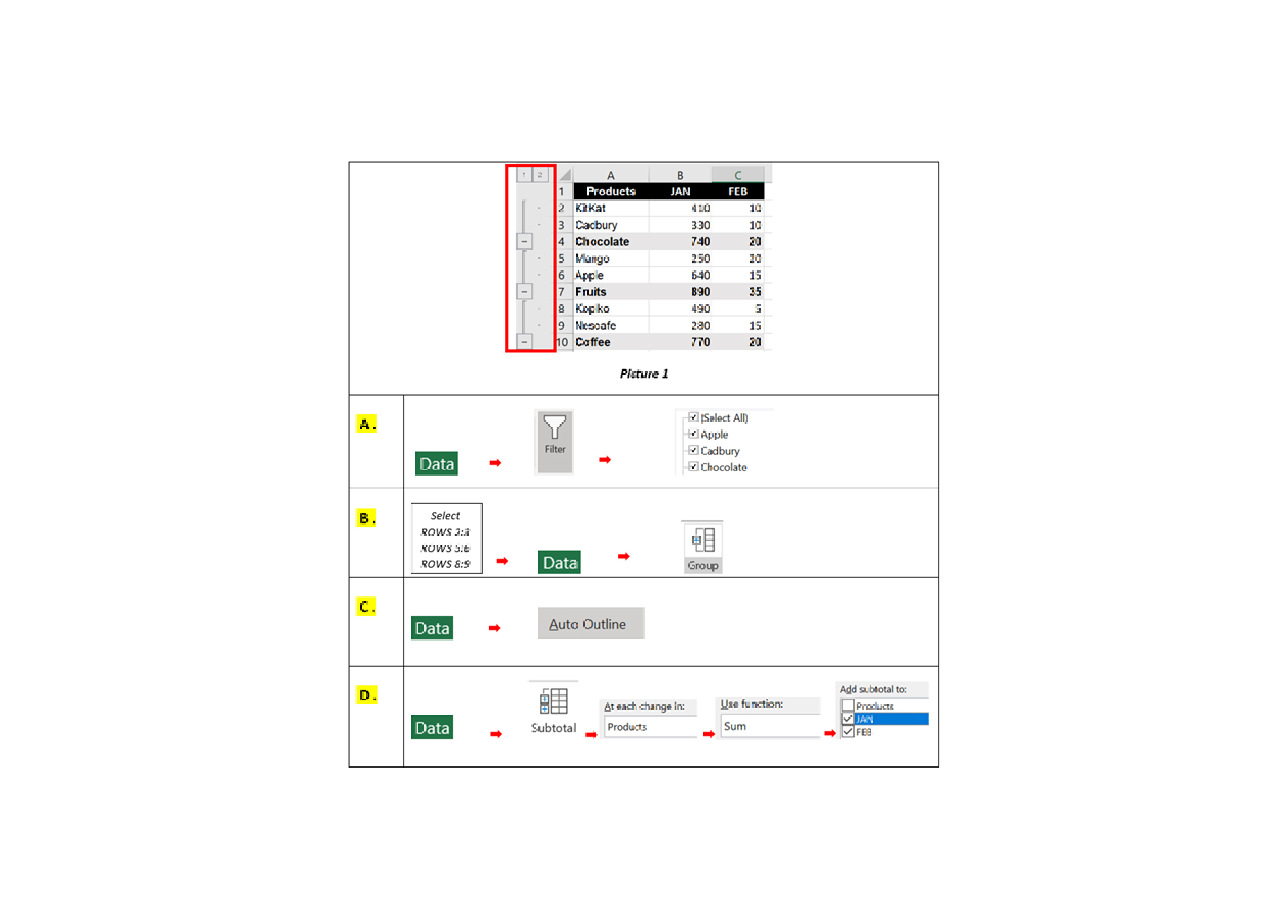
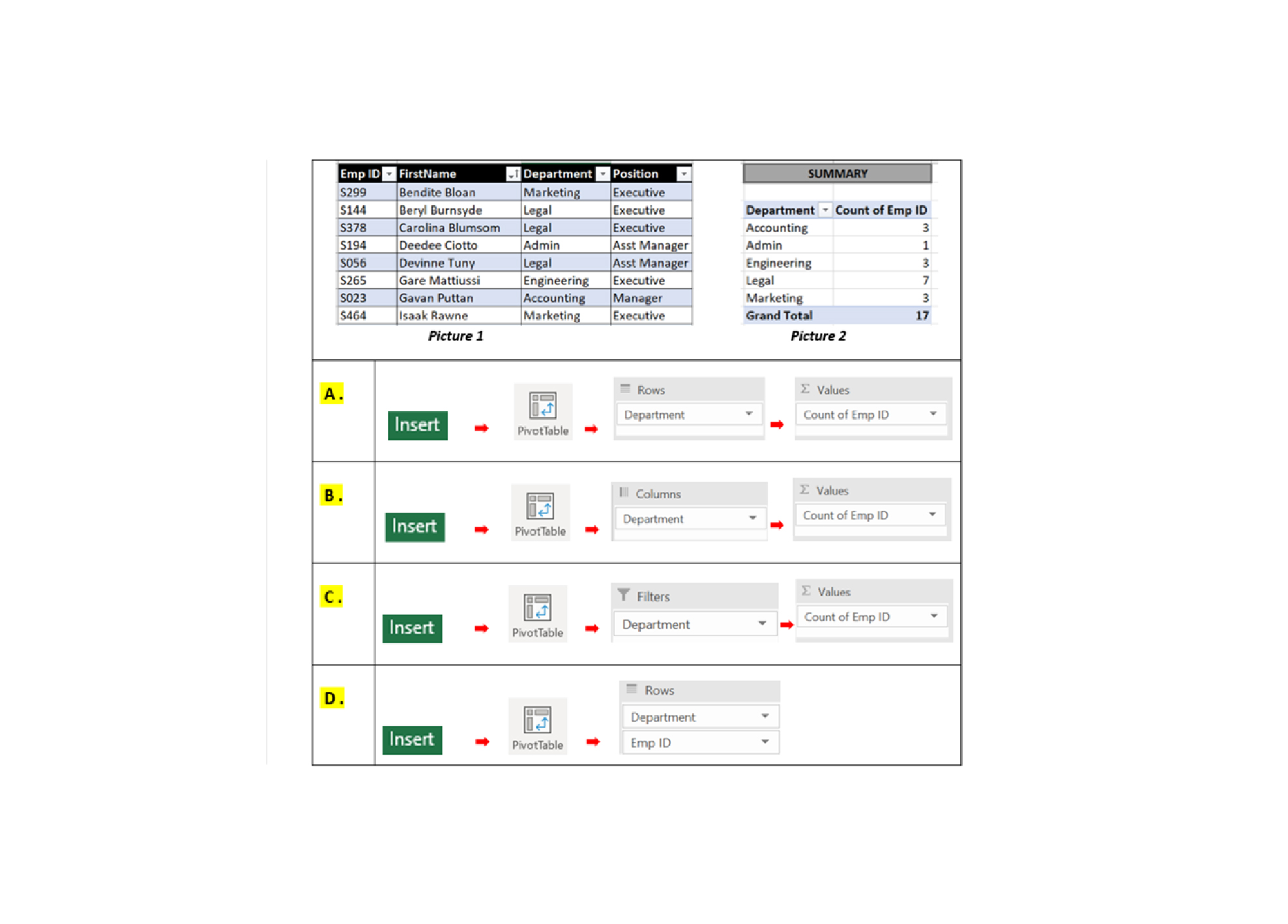
Q27. Picture 1 shows collected data. You want to summarize the data as Picture 2. Which of the following answers will allow you to achieve the result as Picture 2?
-
Question 28 of 40
28. Question
Q28. If you place non-numerical data in the Values area of a Pivot Table. What will be the result of the summary in the value area?
-
Question 29 of 40
29. Question
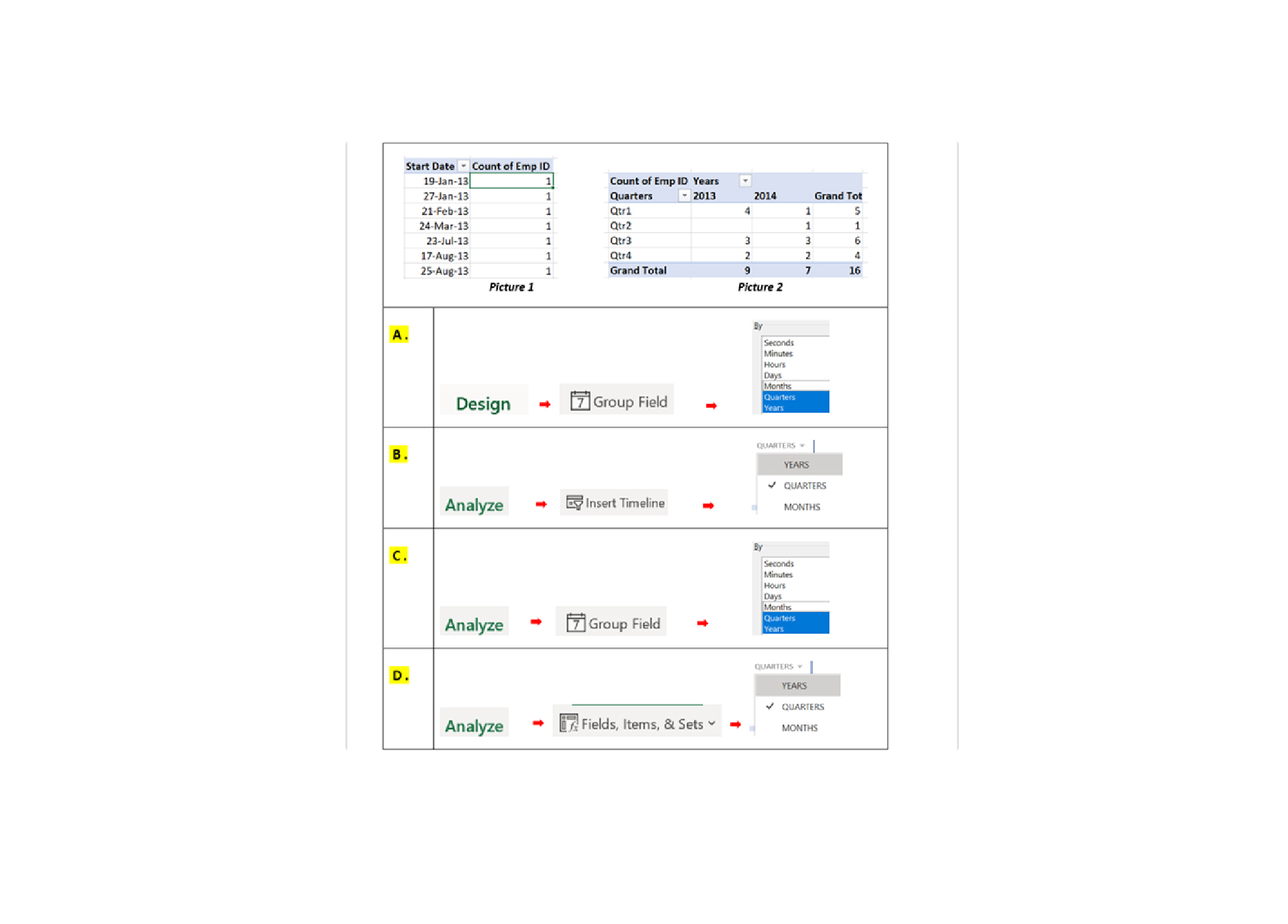
Q29. Which of these answers below is the best method to convert DAILY data as Picture 1 into QUARTERLY AND YEARLY data as Picture 2?
-
Question 30 of 40
30. Question
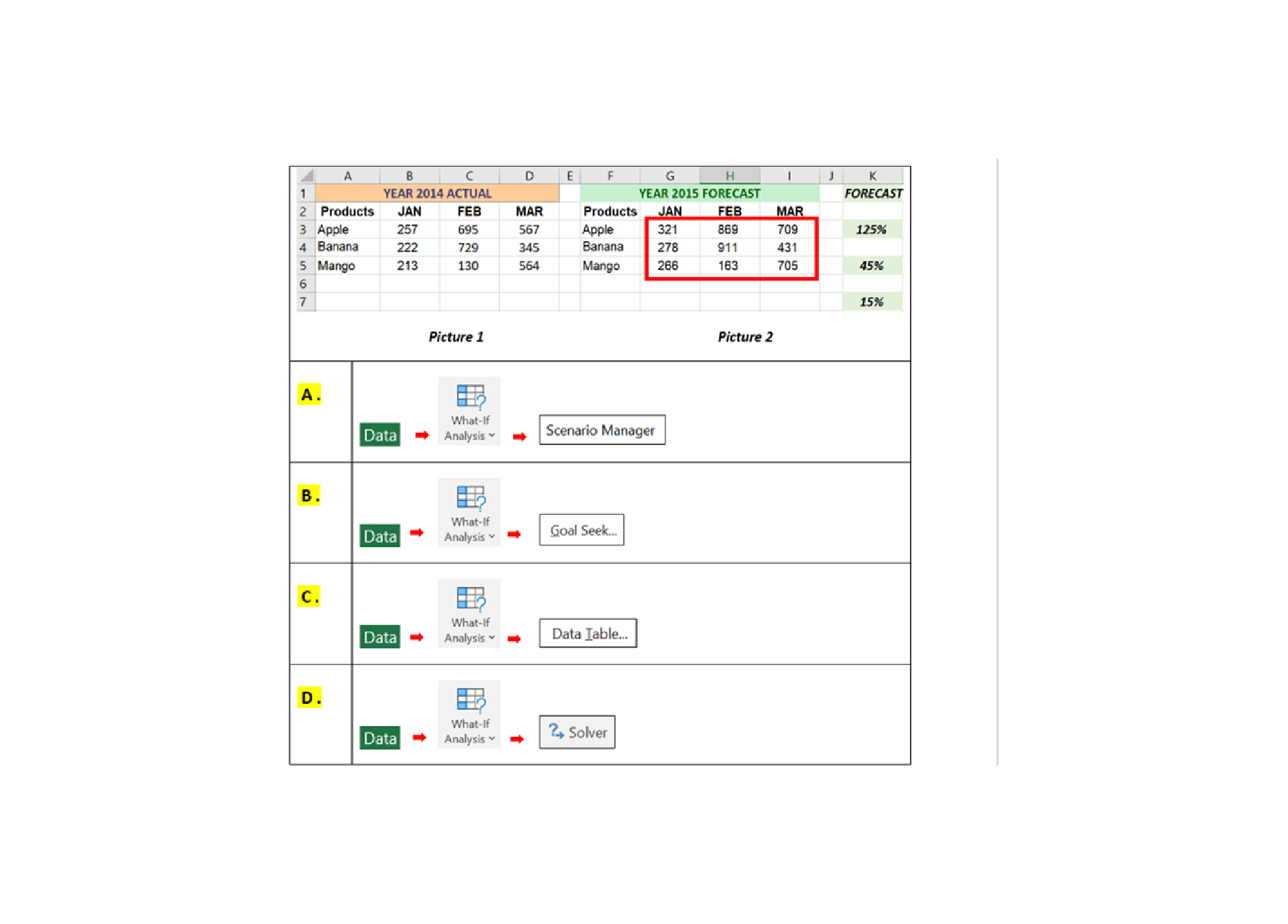
Q30. In the Sales Forecast worksheet below, you would like to show 3 different forecast values on a single spreadsheet. Which of the following answers will allow you to do this?
-
Question 31 of 40
31. Question
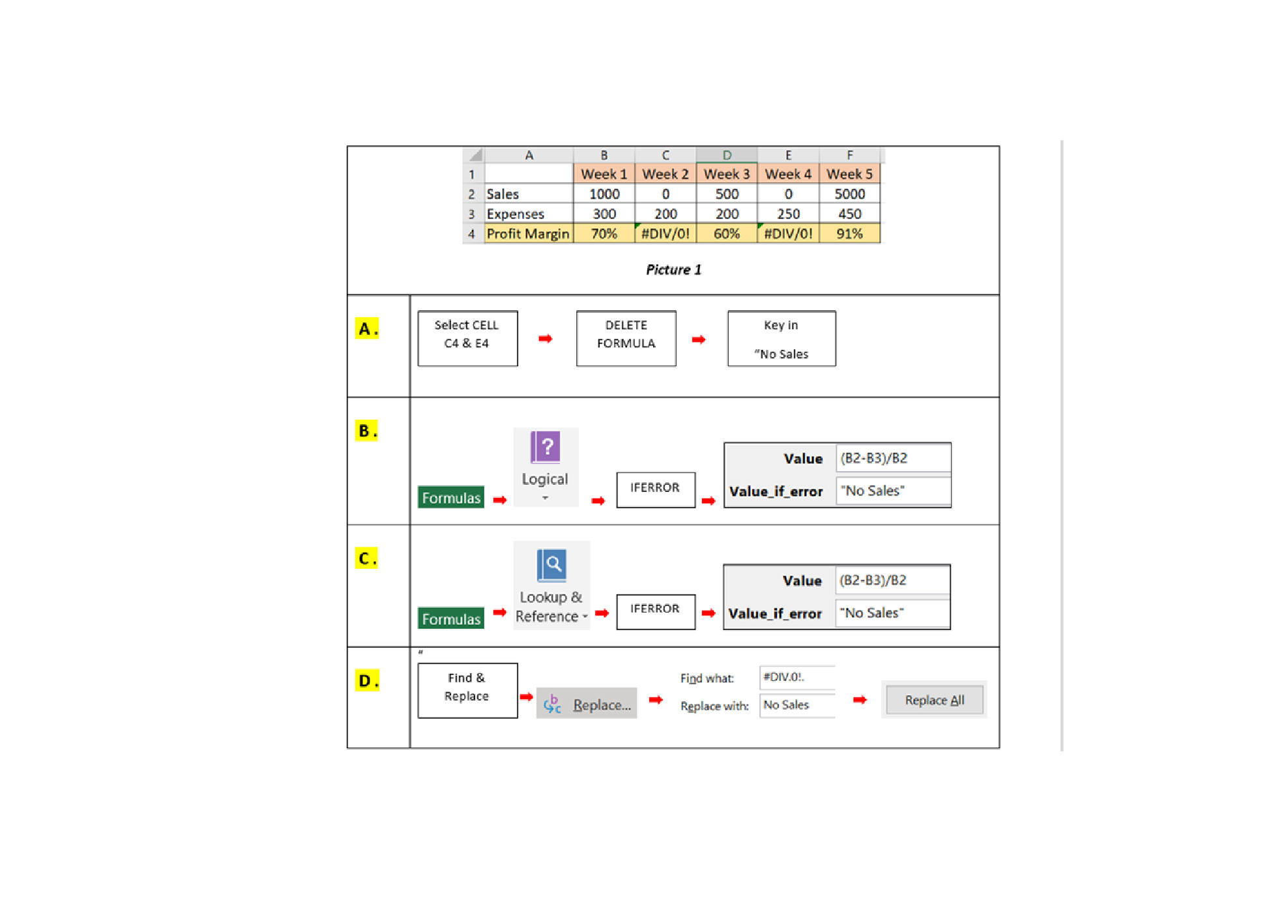
Q31. As you can see, cell C4 & E4 show #DIV.0!. How do you prevent this in the formula?
-
Question 32 of 40
32. Question
Q32. You would like to create forms in Excel as shown in Picture 1. How do you add the Form Controls command?
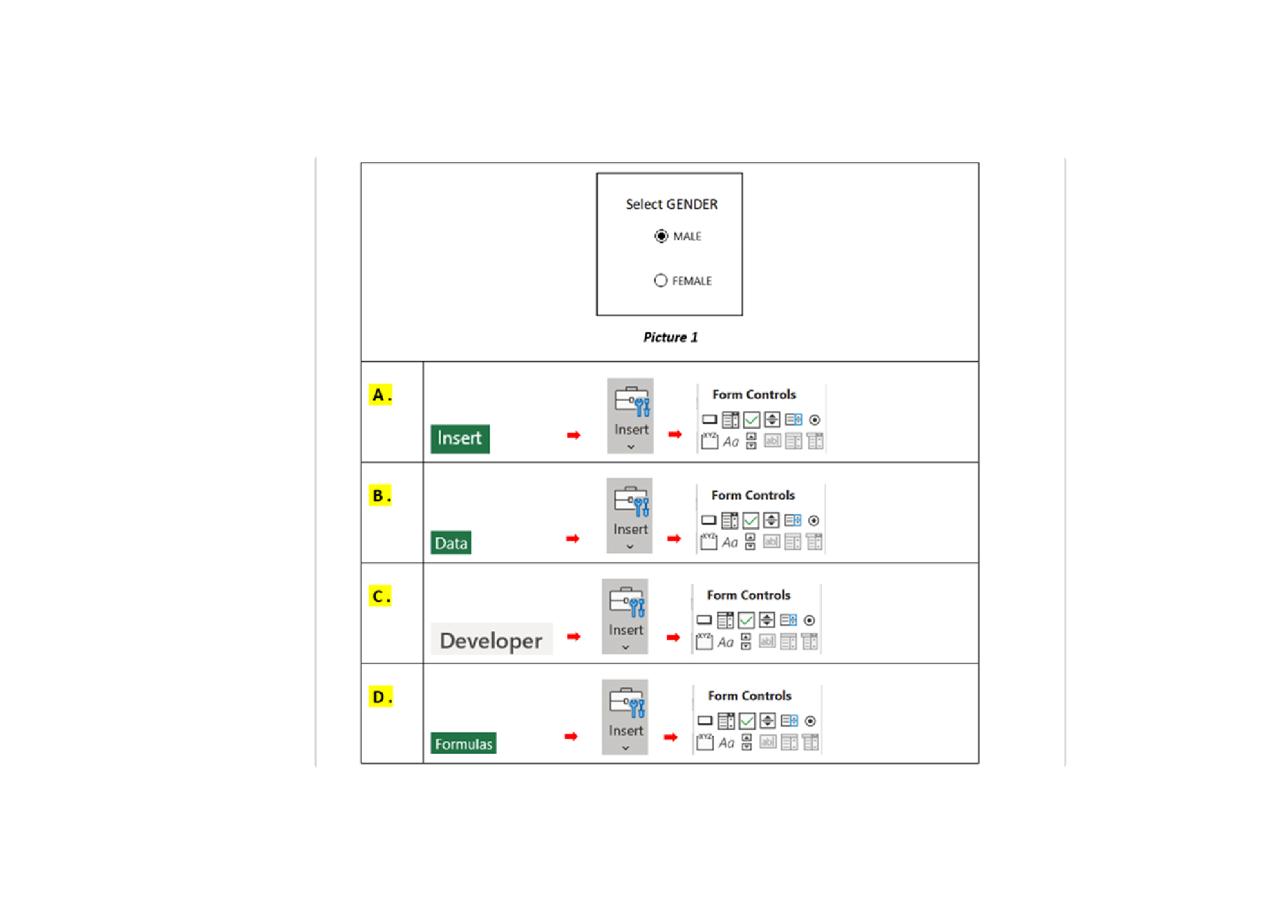
-
Question 33 of 40
33. Question
Q33. Picture 1 shows calculation for TOTAL INCOME, TOTAL EXPENSES, PROFIT. You want to achieve PROFIT RM 10,000 by changing UNITS AND COST PRICE. How to quickly do this?
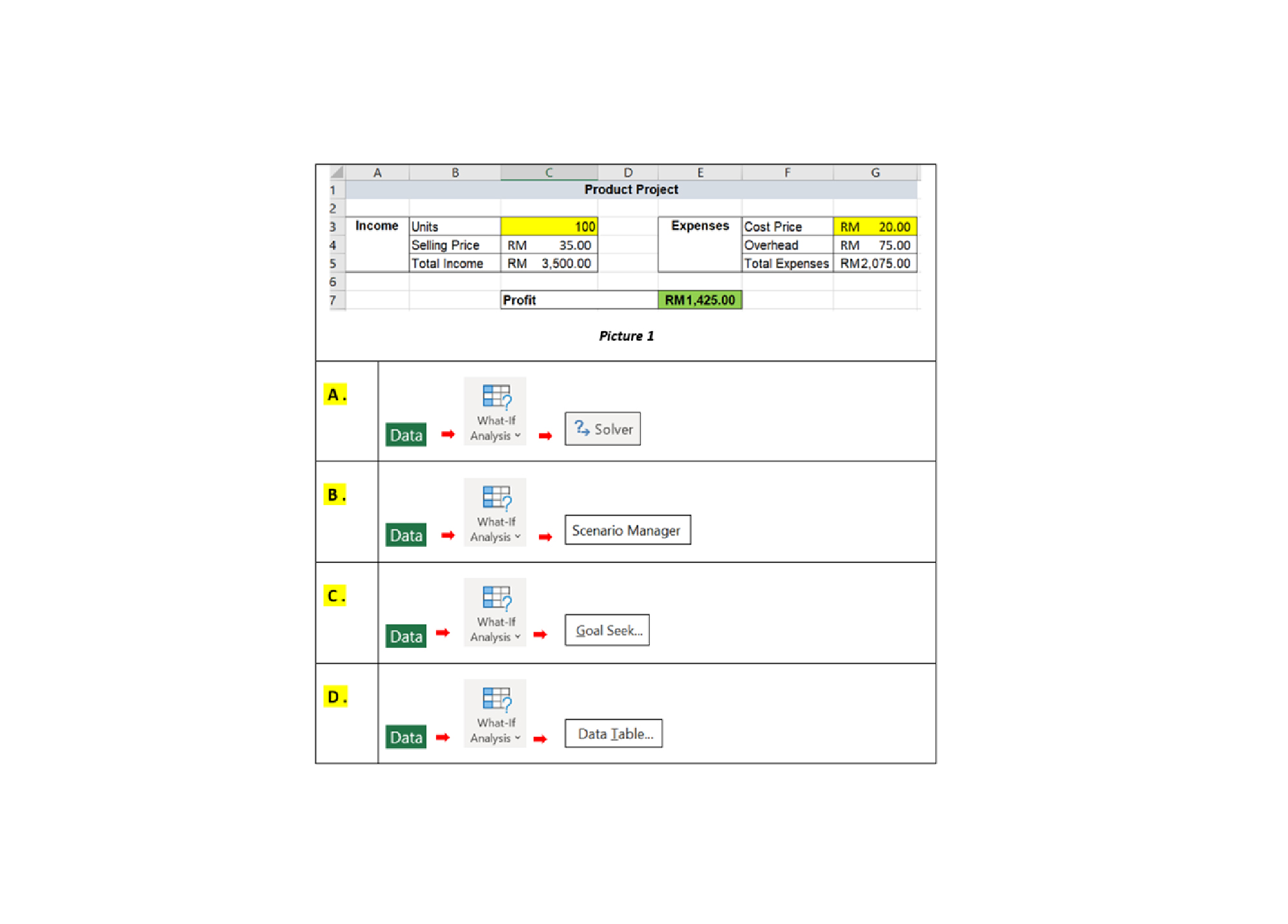
-
Question 34 of 40
34. Question
Q34. When you click on cell A8 (Picture), it will bring you to the worksheet contains 2012 SALES PERFORMANCE as Picture 2. How do you do this?
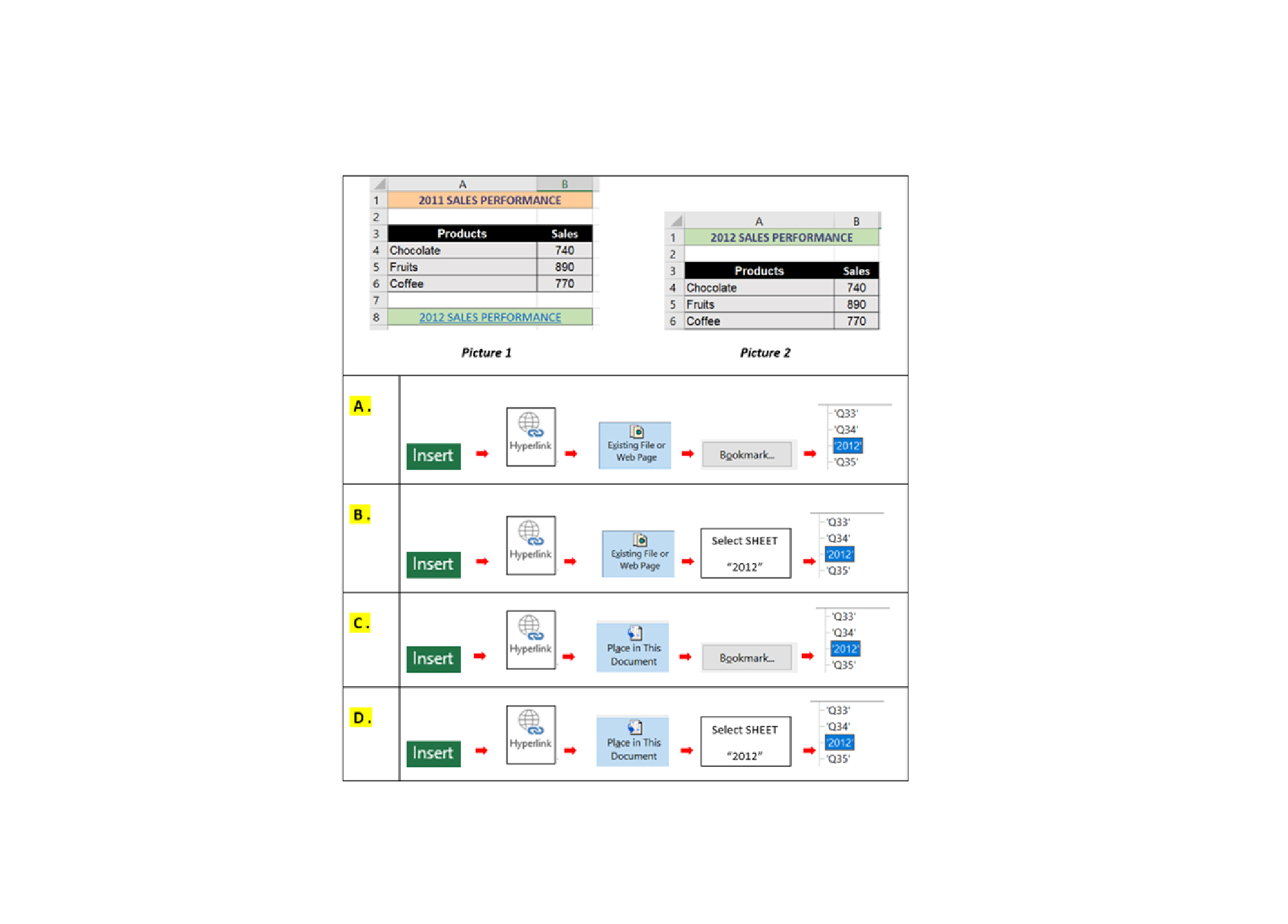
-
Question 35 of 40
35. Question
Q35. You have created a pivot chart as Picture 1. You noticed that the values for Total Employees series is not visible. How do you make visible as Picture 2?
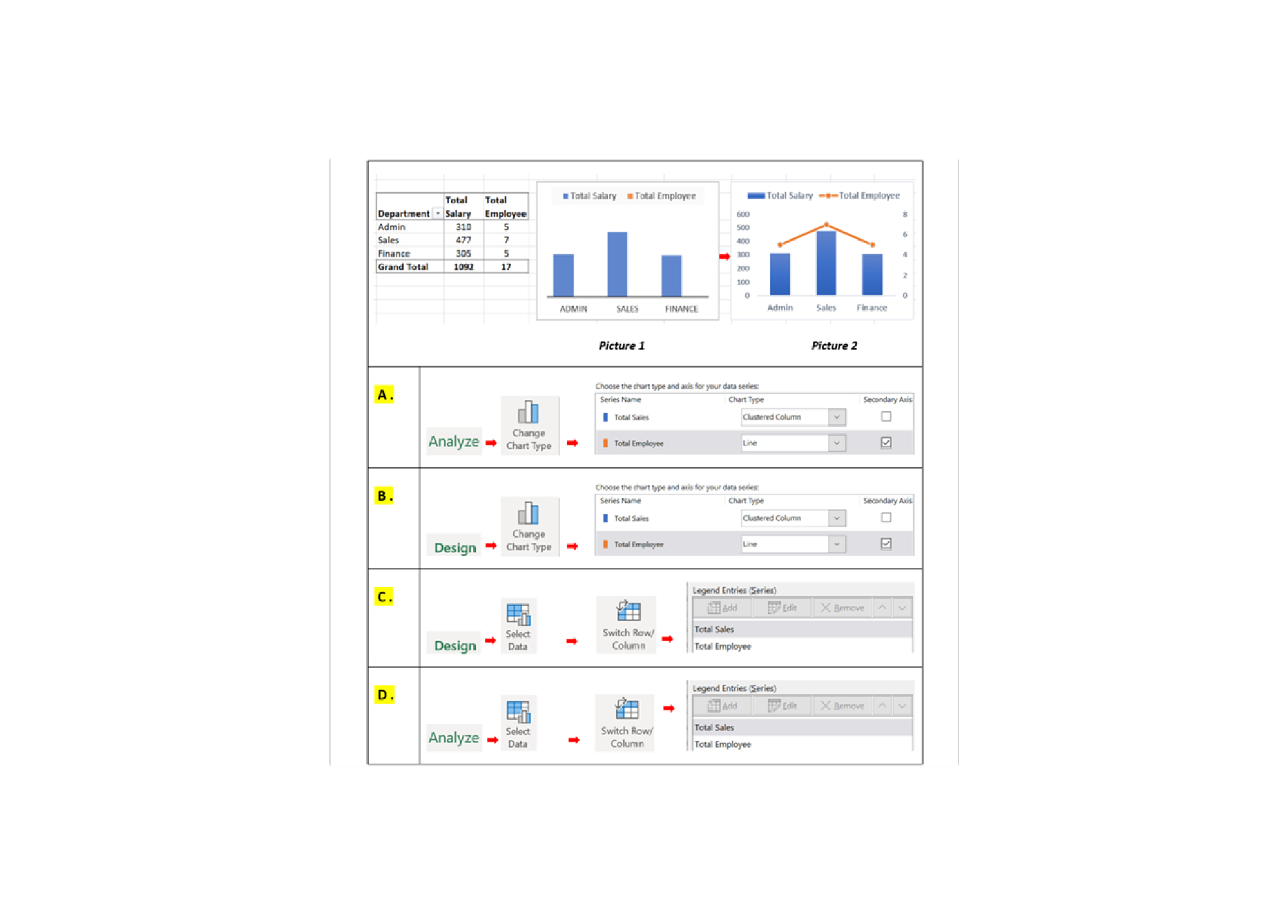
-
Question 36 of 40
36. Question
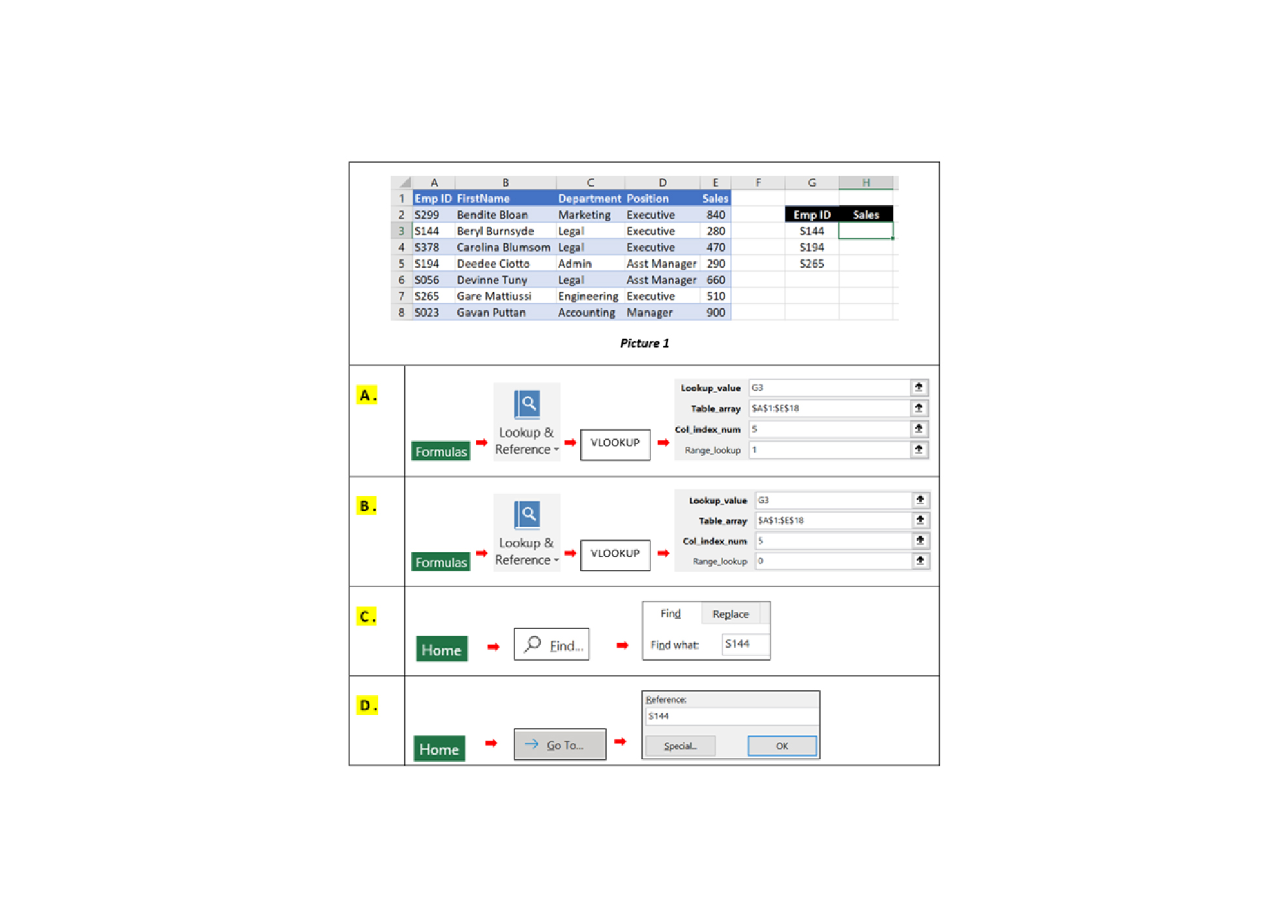
Q36. You would like to extract the Sales Value ONLY FOR SELECTED EMPLOYEE from the Sales Database. Which is the best method to do this?
-
Question 37 of 40
37. Question
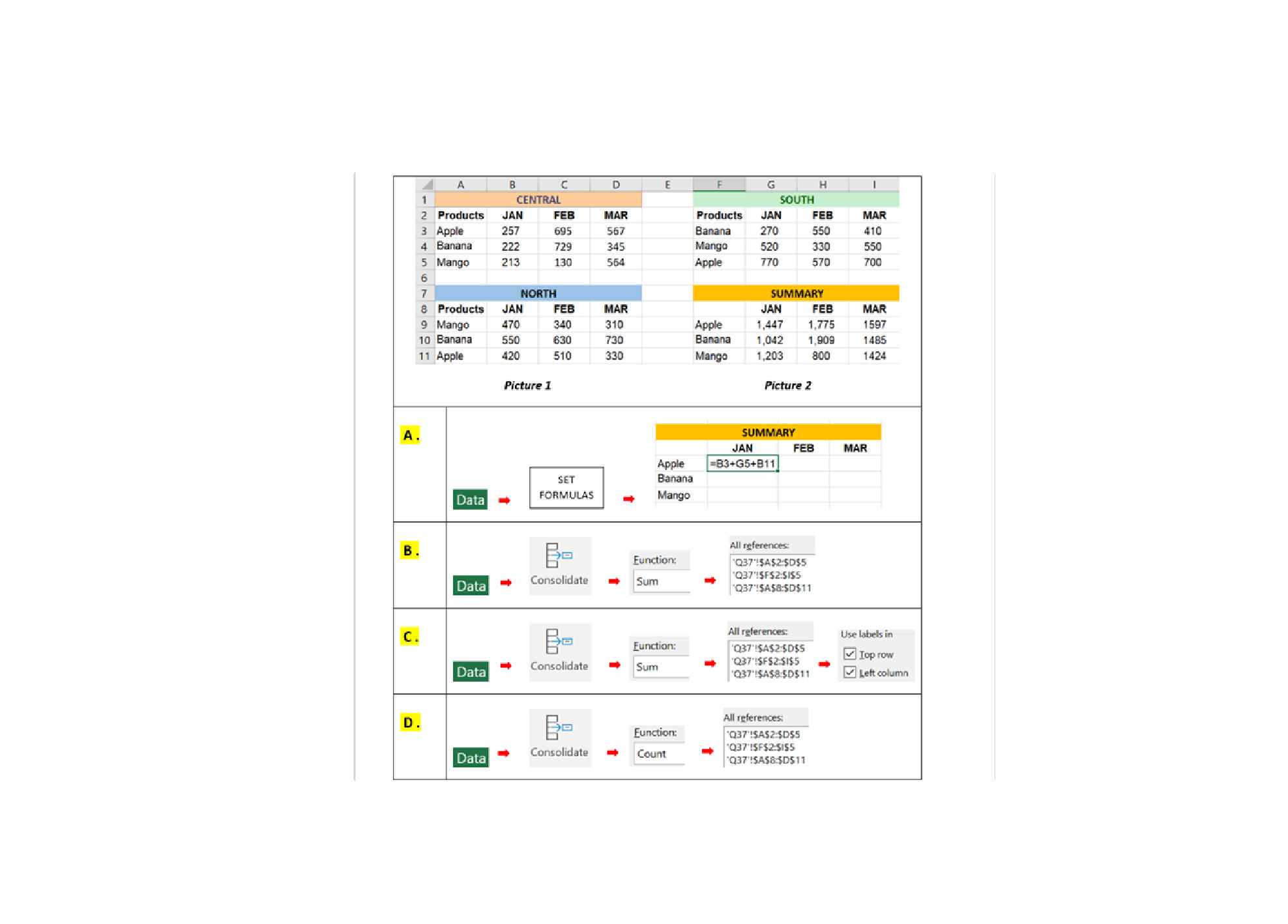
Q37. In the illustration below shows the Expenses budget for Central, North and South region. How do you summarize the values from all region into the Summary?
-
Question 38 of 40
38. Question
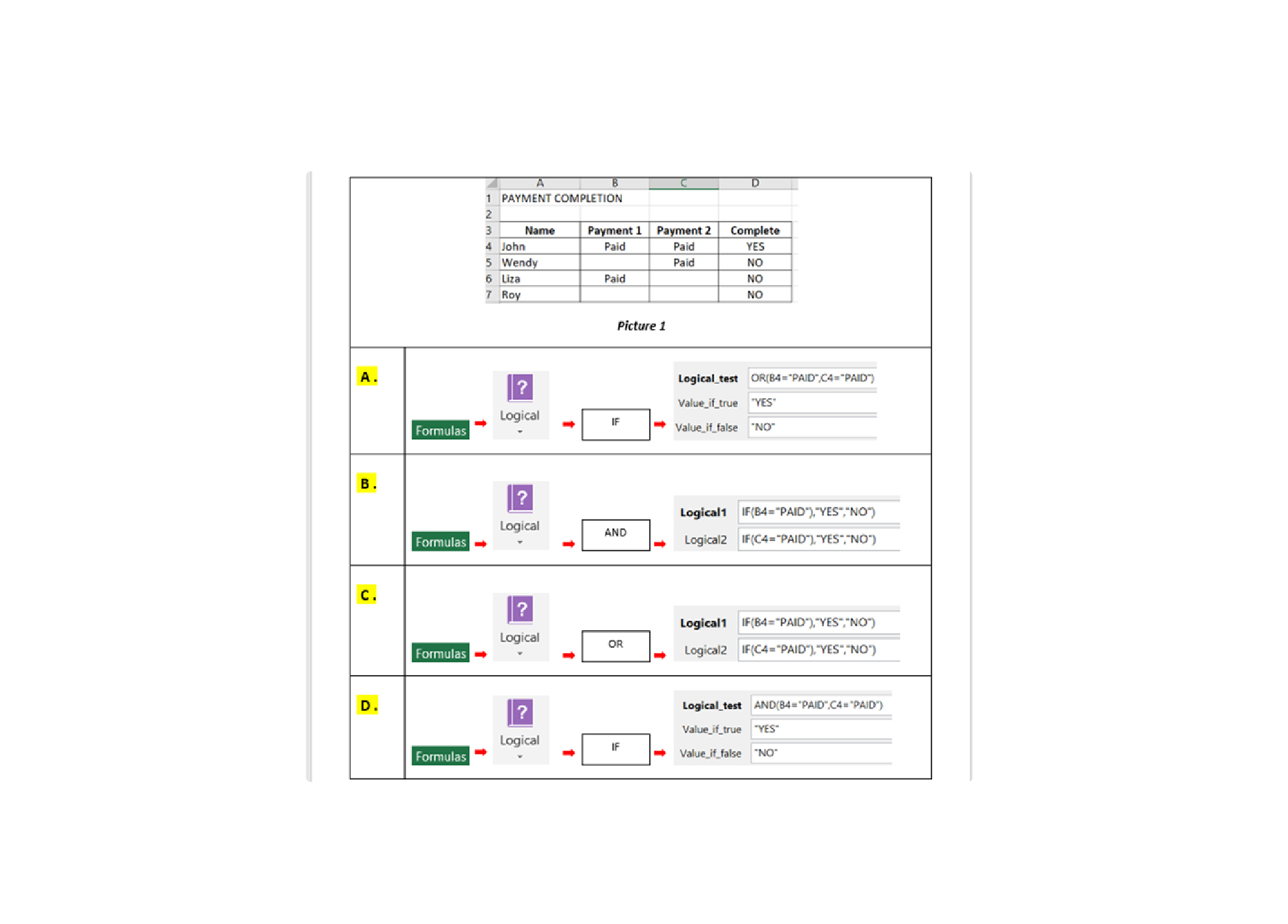
Q38. In the Payment Completion report, you would like to show the payment completion status in column “D”, as per Picture 1. Which of these answers will allow you to complete the report?
-
Question 39 of 40
39. Question
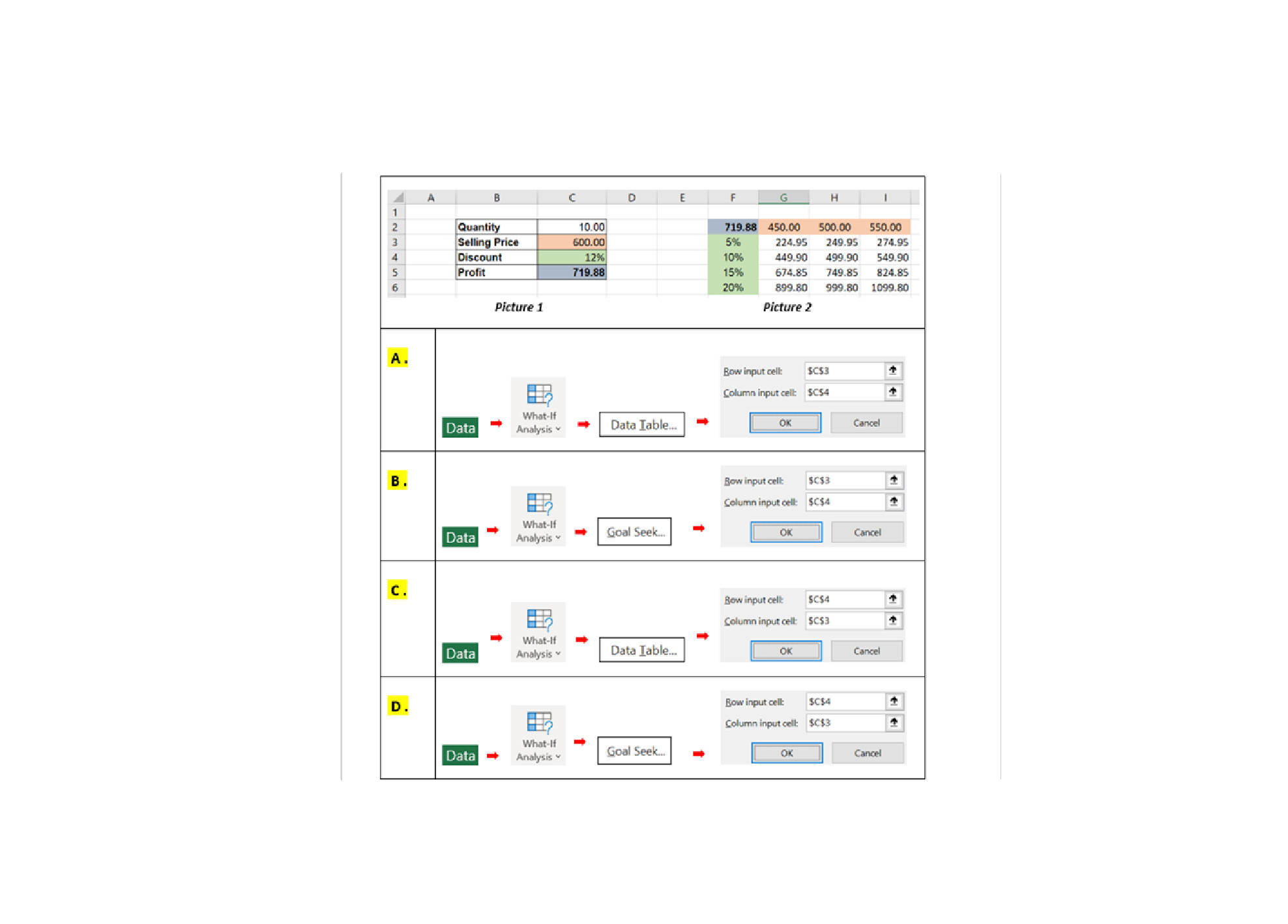
Q39. In the table as Picture 1, shows profit calculation based on Quantity, Selling Price and Discount. How do you create the table as shown in the Picture 2 to reflect profits of different selling prices and discounts?
-
Question 40 of 40
40. Question
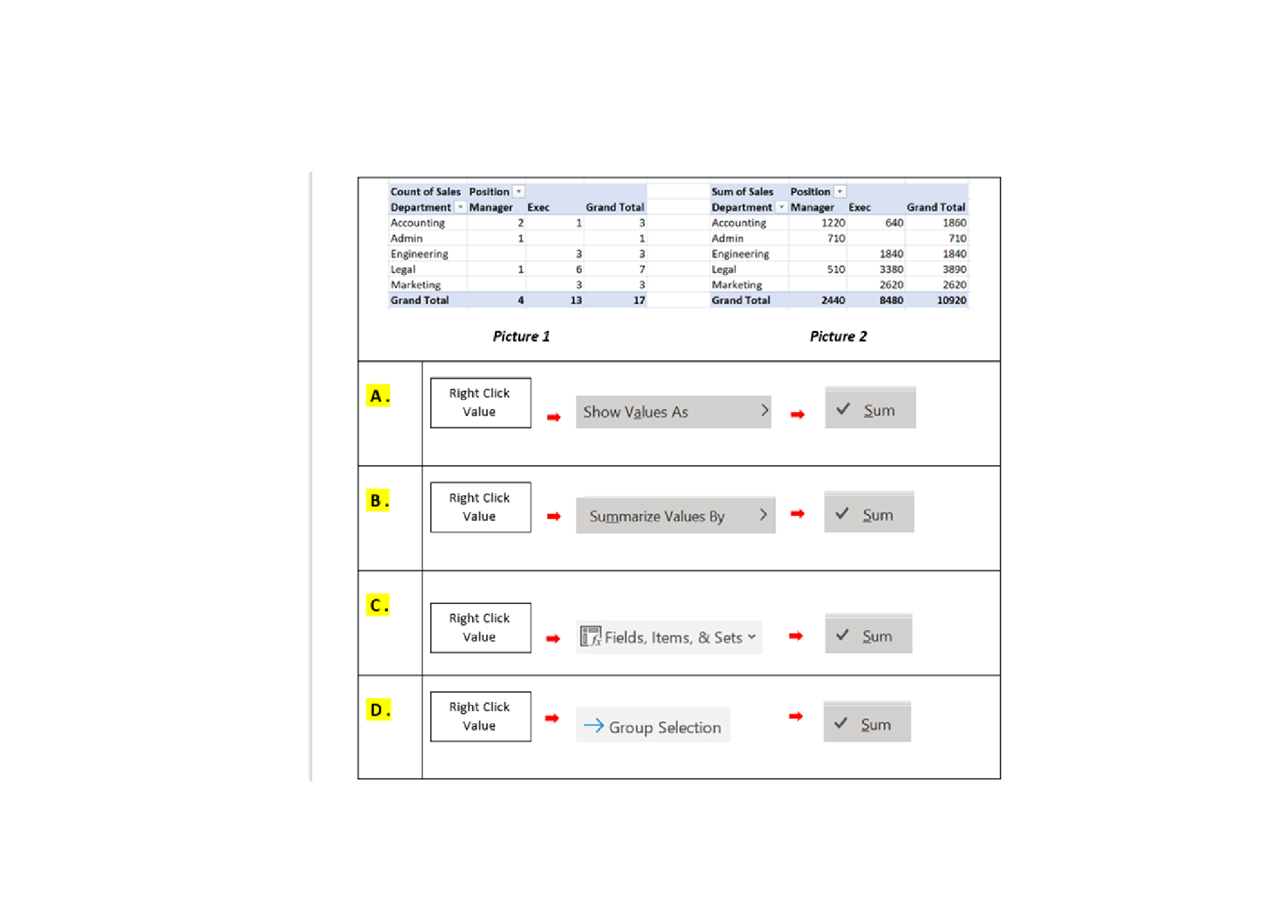
Q40. How do you change COUNT of SALES in Picture 1 to SUM of SALES as Picture 2 ?